Figma Extended Collections in Supernova: Scale Multi-Brand Design Systems Without Duplication
We're introducing support for Figma's Extended Collections, making multi-brand design systems much easier to manage.
 Barbora OlahovaProduct Marketing Manager
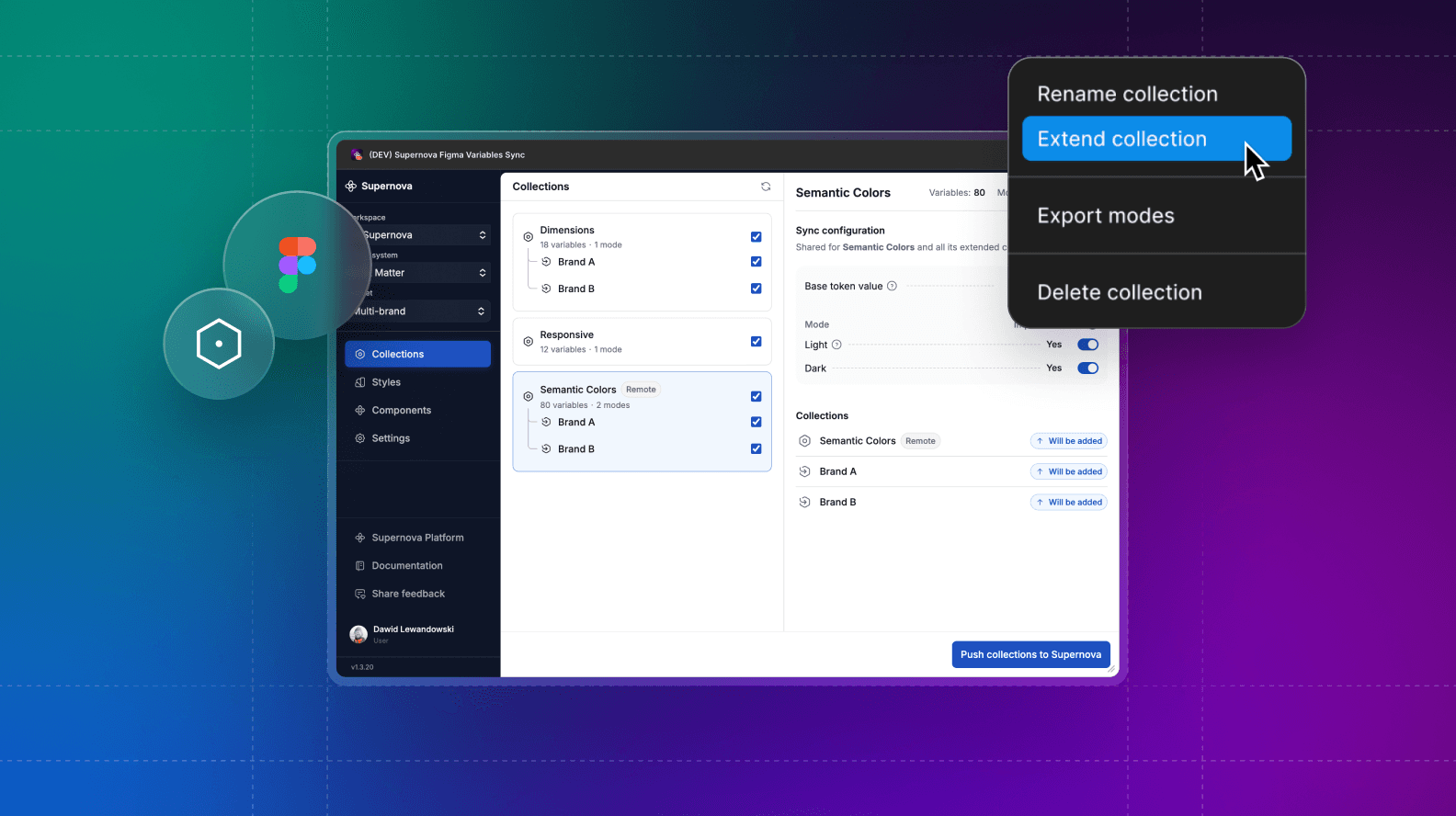
What You'll Learn
- How Figma Extended Collections eliminate design token duplication across brands
- Why Supernova's implementation makes multi-brand systems 10x easier to manage
- Step-by-step guide to using Extended Collections in Supernova's design system platform
Managing design tokens across multiple brands, white-labels, or product themes has traditionally meant duplicating collections, manually syncing changes, and constantly fixing broken references. Supernova now supports Figma's Extended Collections, transforming how enterprise teams structure and scale multi-brand design systems.
What Are Figma Extended Collections?
Extended Collections introduce inheritance-based token management to Figma. Instead of duplicating tokens for every brand variation, you create:
- One parent collection with all shared design tokens (color, typography spacing, border radius, elevation scales)
- Extended child collections for each brand that override only what's unique (brand colors, typography, specific component tokens)
When you update the parent collection, every extended collection automatically inherits those changes—unless a child has explicitly overridden that token. This eliminates manual syncing and ensures consistency across your entire multi-brand ecosystem.
Why This Matters for Multi-Brand Design Systems
If you've ever managed design tokens across multiple brands, you know the pain. Before Extended Collections, most teams had no clean way to share tokens between brands inside Figma, so they resorted to duplicating entire collections for each brand, manually syncing changes across all of them, and constantly firefighting inconsistencies that crept in over time.
Extended Collections change that entirely. Instead of maintaining separate, disconnected collections, you now have one source of truth at the parent level. Each brand only defines what makes it unique (colors, spacing, typography) and inherits everything else automatically. And because dependencies are handled for you, broken references become a thing of the past.
The result is a design system that's structured and scalable, no matter how many brands you're managing.
See It in Action: Extended Collections Now in Supernova
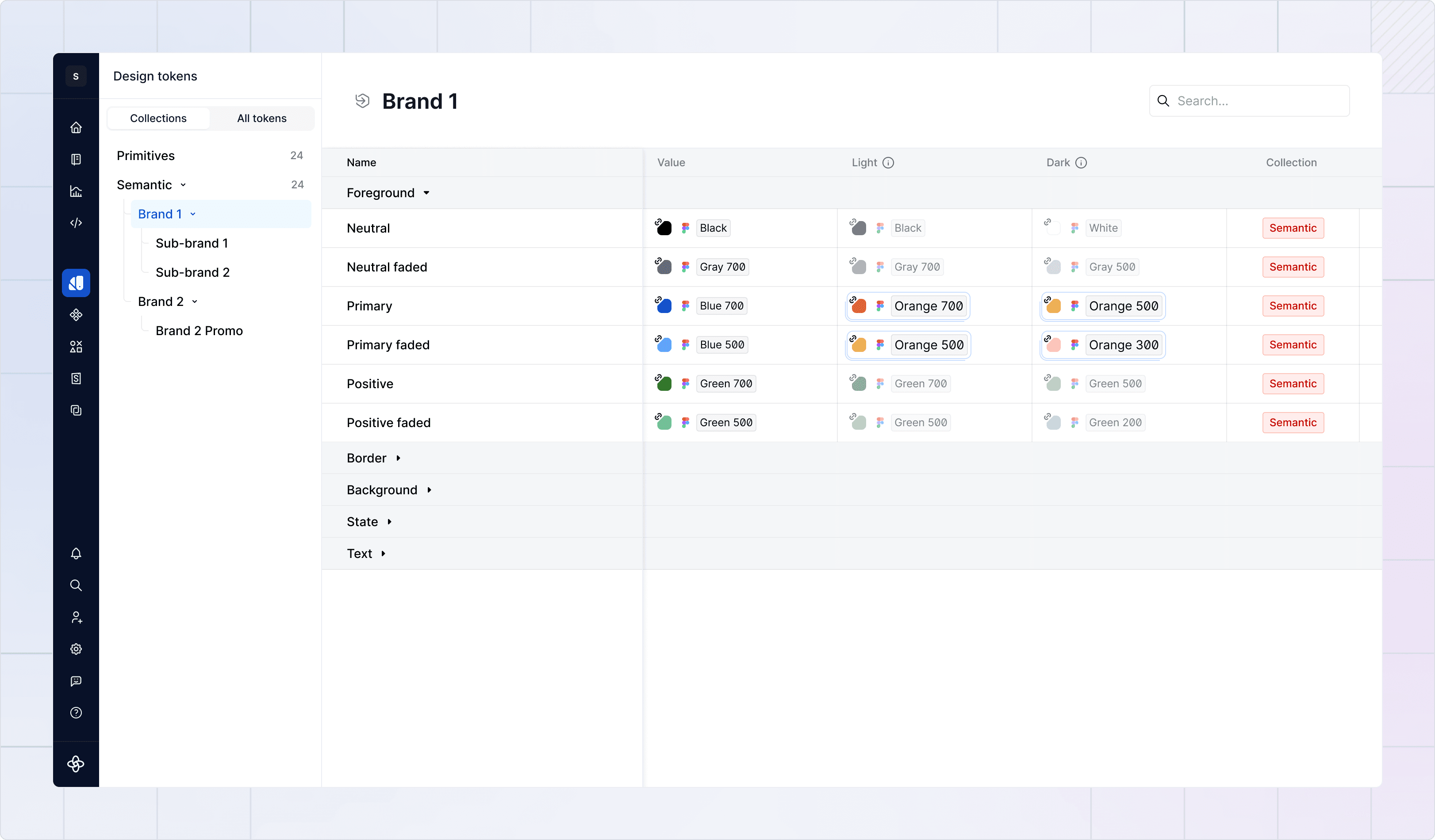
View your collection hierarchy at a glance
The Design System Platform displays your collections as a hierarchical tree in the Design Tokens section. Parent collections appear with their extended children indented below, giving you instant visibility into your entire multi-brand architecture.
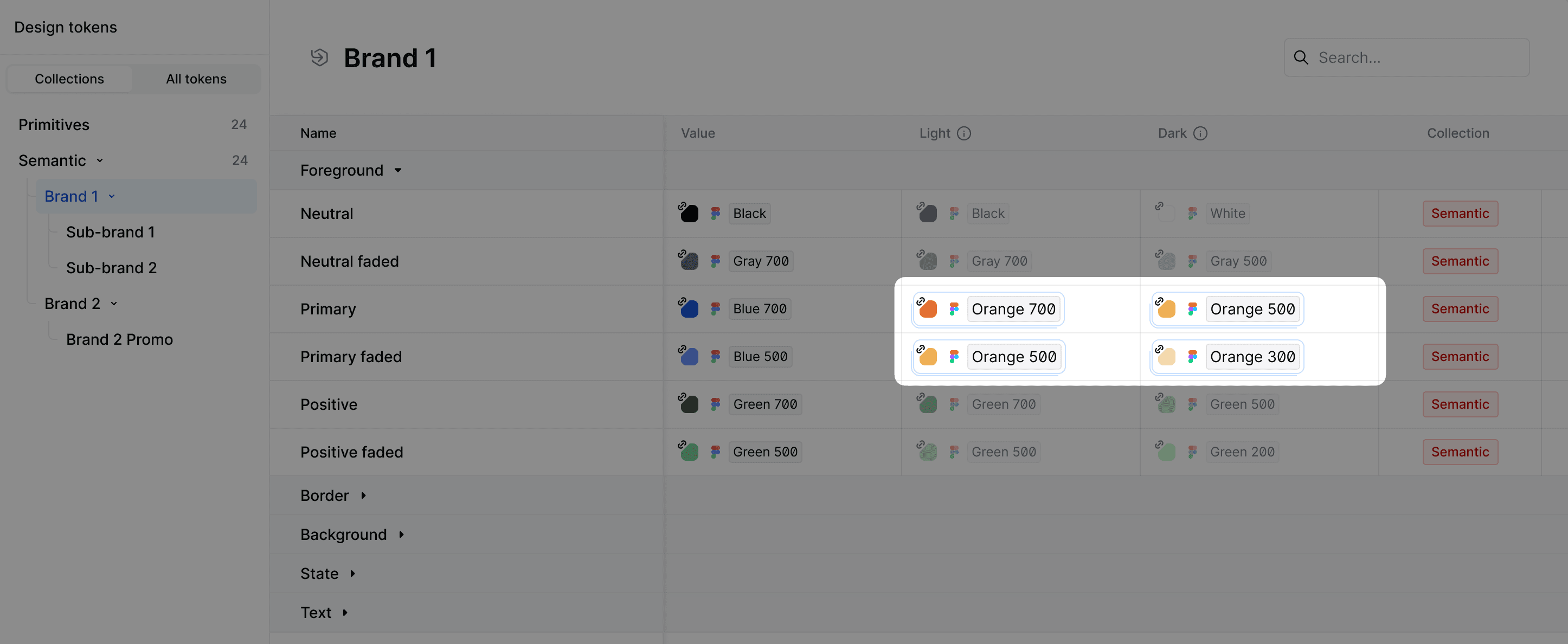
Override indicators make customization transparent
Overridden values display clear visual markers in the tokens view, matching Figma's UI. When browsing the parent collection, you can even see an override count per token (e.g., "Overridden in 2 of 5 themes").
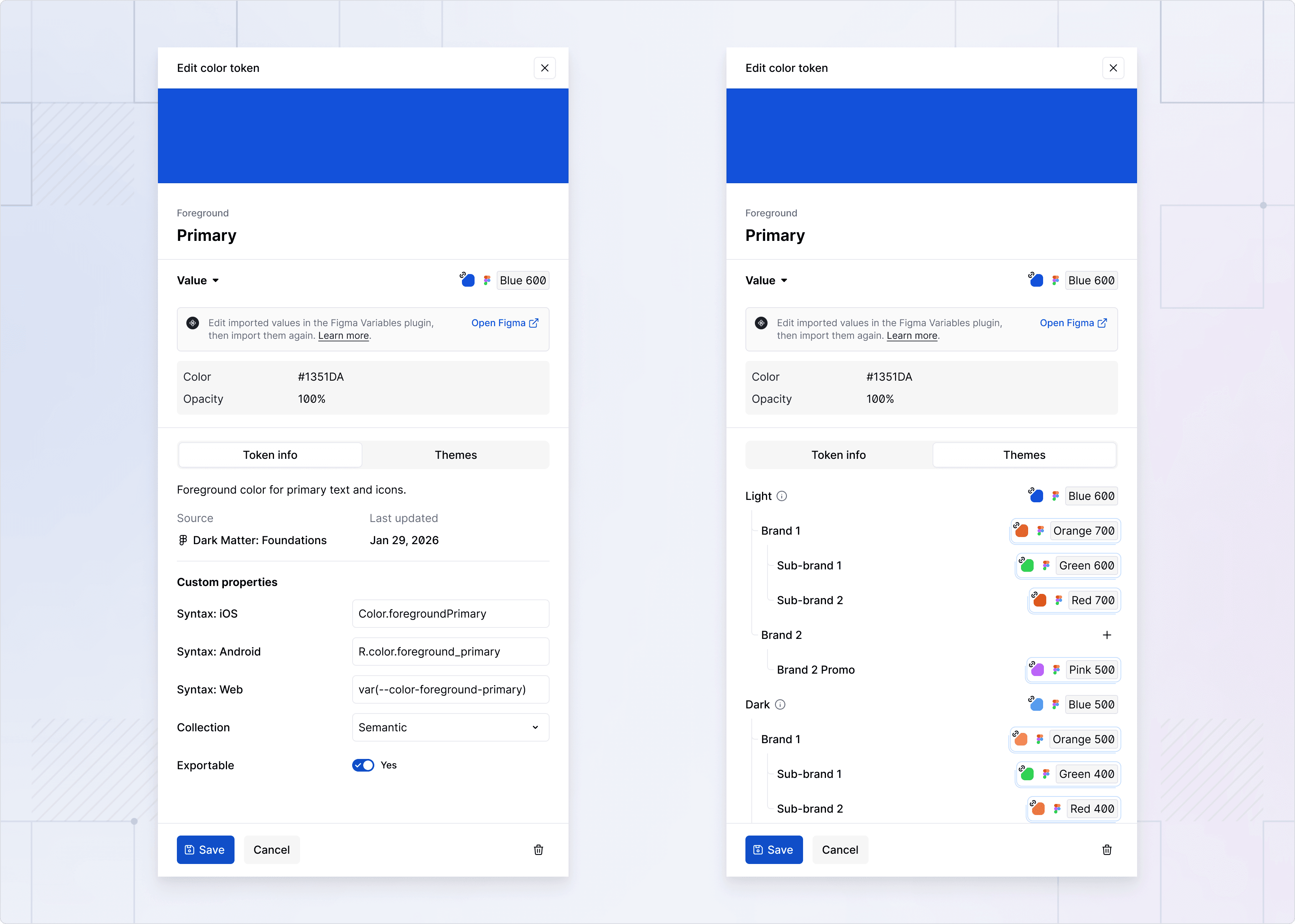
Smarter theme hierarchy everywhere
Theme selectors across exporters, documentation generators, and token detail views now reflect Extended Collection relationships. You can target themes at the root level or drill down to brand-specific variations.
Maintain backward compatibility with existing workflows
All existing tokens, themes, documentation, and code exports continue working unchanged. Extended collections are purely additive. Import them when you're ready, or keep using your current setup. Nothing breaks.
Ready to Scale Your Multi-Brand Design System?
Figma's Extended Collections feature is powerful, and Supernova makes it even more efficient. With full support built into our platform, you can manage multi-brand token workflows with less manual work and more automation.
Resources
Read the full technical changelog
Learn more about Importing variables using Figma plugin.
Book a demo for enterprise multi-brand setups
Give your agents a system worth following
See how Supernova documents, syncs, and serves your system in one place.