Connecting tokens to code and distributing them
You’ve structured your tokens. You’ve synced them to Supernova.
Now it’s time for the fun part: turning them into production-ready code and getting that code exactly where your developers need it.
This chapter is all about automation, not copy/paste.

💪 Power-up with Supernova Plug-and-play code automation
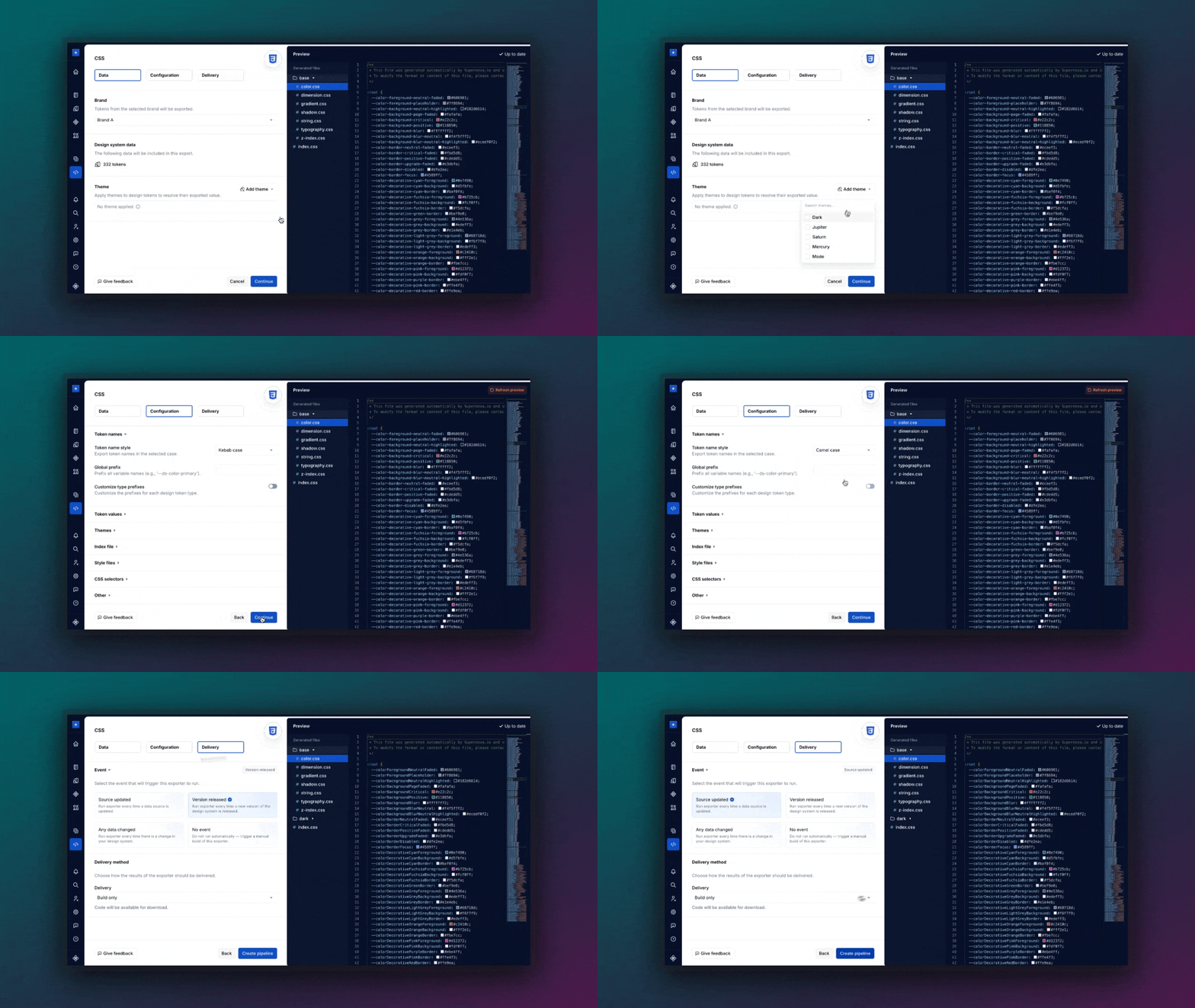
Once your tokens live in Supernova, you can wire them directly into your dev workflows — so token updates flow like real product changes (because they are).
💡Pro tip:
Want a deeper dive into pipelines and setup patterns? Check out the Supernova’s Developer Playbook.
🔄 Design tokens in → code out
Supernova’s code pipelines let you define exactly how your tokens should be exported and where they should go.
Here’s what you can do, straight out of the box:
✅ Export tokens in multiple formats for multiple platforms:
CSS, SCSS, Tailwind, JSON, Style Dictionary, iOS, Android… you name it
✅ Configure the code structure to match your stack — folder names, file formats, naming logic, etc.
✅ Push updates directly into your code repo via automated pull requests
✅ Define triggers for your pipeline:
- When Figma variables are updated
- When you release a new version of your system
- Or everytime you publish your docs
✅ Export entire themes (aka Figma modes) into platform-specific outputs
✅ Distribute multi-brand tokens in clean, scoped packages
Basically: your tokens are no longer static values.
They’re living code — versioned, structured, and shipped at scale.
TL;DR: From Figma to production — minus the copy/paste
- Your tokens aren’t just for docs — Supernova turns them into real, usable code
- Export in any format (CSS, SCSS, JSON, Swift, Android, etc.)
- Code pipelines = updates that auto-sync with your dev workflows
- Set it up once, and let the system handle the heavy lifting
Your design system just leveled up. 🚀
Give your agents a system worth following
See how Supernova documents, syncs, and serves your system in one place.