Learn Supernova in a few minutes
Start with the five-minute platform walkthrough, then pick a short how-to for the part of the platform you are setting up.
Supernova Academy
8 videos24 minutes
 1. Platform walkthrough4:58
 2. Automate your daily design system operations2:37
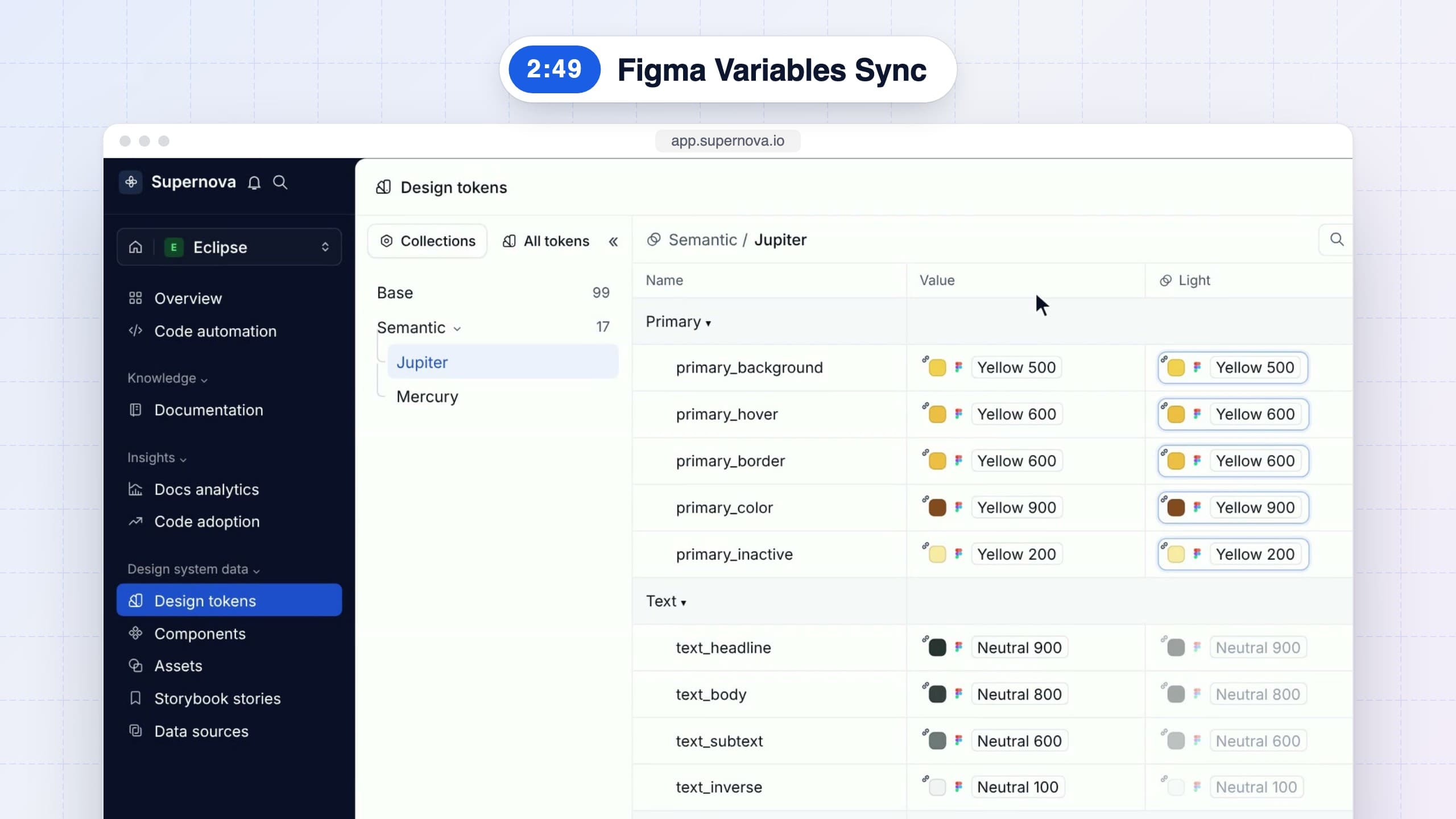 3. Figma variables, now design tokens2:49
 4. Documentation that keeps itself up to date2:21
 5. From design tokens to pull requests2:30
 6. Your design system in every AI agent3:21
 7. Connect the MCP to every AI tool2:37
 8. Measure adoption across people, code and agents2:42
Figma variables, now design tokens
Design tokens2:49 · 8 chaptersPush your Figma variables into Supernova with the Figma Variables Sync plugin, with every mode as a theme and each brand in its own dataset, and push again whenever a variable changes.
What you will learn
- Find Supernova Figma Variables Sync in the Figma Community and sign in with Supernova
- Choose the workspace and design system your tokens go to
- Select your collections, with referenced ones like Base brought along automatically
- Set the base token value and bring every mode in as a theme
- Click Push collections to Supernova and find your tokens in Design Tokens
- Push updates whenever a variable changes in Figma
- Map each brand to its own dataset, with extended collections or brands as modes
More lessons
More on YouTubeLearn more to become a PRO
Keep going
Go further, with Supernova
Learn Supernova
Product documentation, setup guides, and release notes.
Open Learn SupernovaDeveloper documentation
API, SDK, and exporter reference for building on Supernova.
Read the developer docsGuides
Practical playbooks to build, scale, and ship your design system.
Browse the guidesBlog
Design system thinking, from the team and the community.
Read the blogGive your agents a system worth following
See how Supernova documents, syncs, and serves your system in one place.