February 2026 Product Updates: Container Versioning & Team Collaboration
Manage design system containers with semantic versioning, invite external collaborators to projects, and leverage documentation-powered prototyping.
 Barbora OlahovaProduct Marketing Manager
Here's whats new:
Container Versioning & Shared Contexts
Managing custom code containers just got a major upgrade.
Semantic Versioning for Containers
Containers now support semantic versioning (e.g. 1.0.0, 1.1.0, 2.0.0) and are automatically grouped by the container name from your package.json.
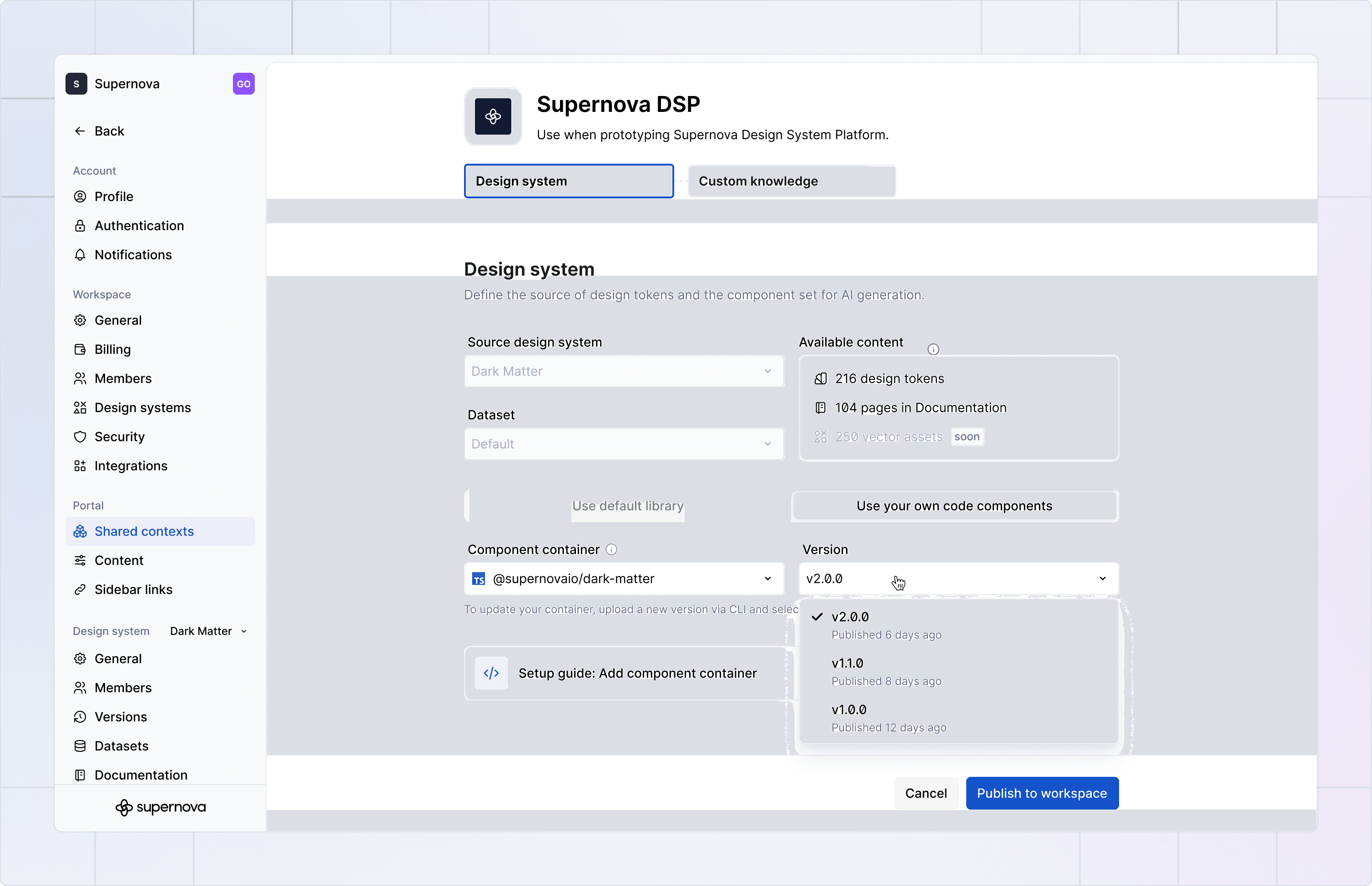
Instead of creating new contexts every time you ship an update, you can now manage all versions of the same container in one place.
👉 Read more about how Container Versioning works
New Work Automatically Uses the Latest Version
When you create a new prototype, the system automatically uses the most up-to-date container version selected in the shared context.
Important to note: new container versions apply only to newly created prototypes. Existing prototypes remain on the version they were originally created with, and any new iterations within those prototypes will continue using that same version rather than regenerating with the latest container.
Invite Collaborators to Projects via Email
Collaboration shouldn’t be blocked by workspace boundaries.
Previously, you could only collaborate with users already inside your workspace. That made early-stage feedback and cross-team collaboration harder than it needed to be.
Workspace admins can now invite collaborators directly from any project, including users who are not yet part of the workspace, as well as “pending” users who gain access immediately after accepting the invitation.
👉 See how project invitations work
Code Container Management in Design System Platform
We’ve added a dedicated section in the Design System Platform where you can see all your code containers and their versions in one place.
You can now view every container connected to your design system, see all available versions in one centralized place, and clearly understand how containers link to shared contexts and prototyping projects, giving you full visibility and better control over your system architecture.
👉 Discover the new container management view
Design System Documentation in Prototyping
Your published design system documentation now directly powers prototyping. The coding agent reads your actual component docs, pattern libraries, and guidelines and generates code that follows your standards automatically. No more generic AI output that ignores your system. Prototypes now reflect how your components are meant to be used, including layout best practices and content rules.
You can also see exactly which documentation pages the agent referenced in the Shared Context tab, making every decision transparent and auditable. Behind the scenes, documentation is fetched and processed instantly in markdown format, so the workflow stays fast and seamless — even as the agent gets smarter.
👉 Learn more about Design System Documentation in Prototyping
Give your agents a system worth following
See how Supernova documents, syncs, and serves your system in one place.