AI‑Ready Design Systems: Preparing Your Design System for Machine‑Powered Product Development
A practical guide to preparing your design system for AI agents, and why the same foundations that help machines also make your system better for your team.
 Beatriz NovaisSolutions architect
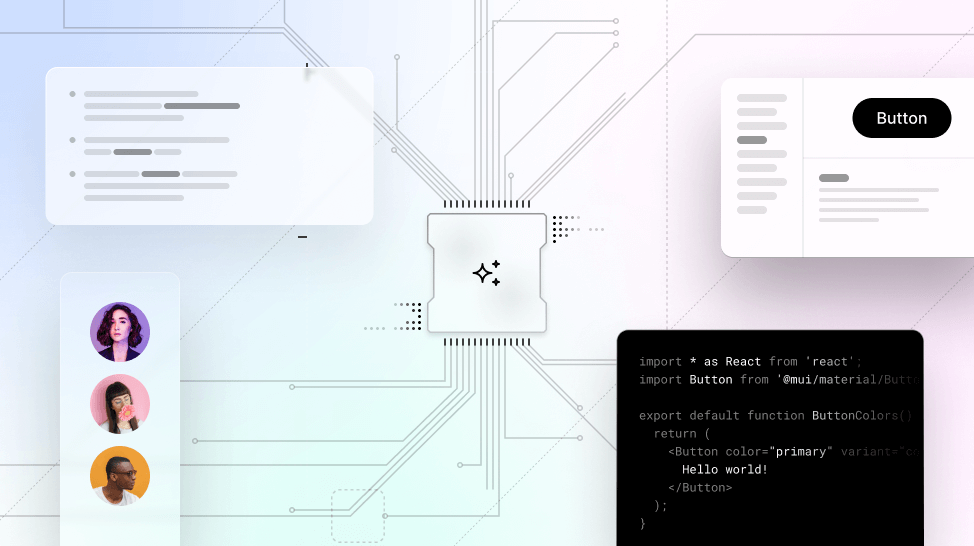
Designing for humans and machines
AI is already reshaping how we design and build digital products. From code generation to UI suggestions to accessibility audits, intelligent tools have moved into workflows that once belonged entirely to humans. And yet, when we ask these tools to produce something meaningful, a real, on-brand, accessible interface, the results often fall short.
Spacing is off. Variants are missing. The code looks plausible, but the details are wrong.
Why? Because AI doesn't understand your design system unless you've taught it to. Your naming conventions. Your tokens. Your component behavior. Your rules and rationale.
This is where the real opportunity lies: your design system is not just for designers anymore. It's for the machines helping them work.
Why design systems break down in AI workflows
It's easy to believe that AI will figure things out. In reality, today's tools rely heavily on context. Most generative models use pattern-matching to produce results, and without structured, trusted data to reference, they guess. That guesswork leads to inconsistent components, brand violations, and inaccessible UIs.
Consider a button component. You know it has primary and secondary variants, hover and disabled states, and responsive sizing. But if that structure isn't documented properly, if the props in Figma don't match the implementation in code, and if the tokens used aren't exposed in a consistent way, an AI tool has no way to infer that reliably.
"Design systems must evolve into structured data to be useful in machine learning workflows." Diana Wolosin in Building AI‑Driven Design Systems
There's now data showing what happens at scale when that context is missing. GitClear's 2026 research, covering 623 million code changes between 2023 and 2026, found that duplicated code blocks rose 81% while function connectivity, the closest available proxy for whether new code reuses what already exists, fell 35%. Their description of the pattern is worth reading twice if you own a design system: new code "is isolated in self-contained files, which is the structural signature of duplicative reinvention beating progressively-improved reuse."
Duplicative reinvention is a precise description of an agent writing its own button.
The problem isn't that AI is bad at design. The problem is that we haven't made our systems machine-readable.
What an AI‑ready system looks like (and why it's not only for AI)
To make your design system usable by both humans and AI, you need more than a polished Figma library. You need infrastructure.
But here's the nuance: the needs of machines aren't so different from the needs of your teammates.
Engineers also need consistent tokens and prop definitions. Designers struggle when documentation is unclear or buried. New hires waste time guessing what a token means. The difference is that humans can ask follow-ups. Machines can't, unless you embed clarity up front.
That's why AI readiness usually means better system hygiene: clearer metadata, consistent naming, tighter APIs, and more maintainable documentation.
Documentation in particular is evolving. Instead of long, disconnected how-to pages, modern systems are embracing atomic documentation, small context-rich units of knowledge tied directly to components or patterns. Amy Hupe's article "We document our design systems — why don't we systematise our documentation?" argues for treating guidance as modular content that can live in many places without duplication. Chase McCoy explores similar ideas in "Design Systems as Knowledge Graphs".
Here's what that looks like in practice:
- Exposed via APIs: Your tokens, component structures, and documentation aren't buried in tools or static pages. They're accessible via endpoints or MCP (Model Context Protocol) servers. This lets tools and people query your system like structured data rather than a style guide.
- Rich in metadata: It's not enough for a component to look right. It needs to carry intent: states, props, accessibility, platform constraints, and rationale. Metadata gives machines and teammates the "why", not just the "what".
- Fully documented: Documentation is evolving from long reference pages into modular, atomic units of meaning. The more context you embed directly into your components or patterns, the more useful that information becomes for everyone.
- Consistent across layers: Whether you're in Figma, reviewing docs, or shipping code, the naming, structure, and behavior should align. Tools like Supernova help enforce that alignment using automations and shared sources of truth.
- Scoped per consumer: An agent handed your entire system performs worse than one handed the relevant part. Different teams and different tasks need different slices, and every unnecessary token in the window is one not spent on the work.
This is where standards like MCP come in. Figma's Dev Mode MCP server was an early step toward exposing design data in a way AI tools can reliably consume. Platforms like Supernova have taken this further, serving structured documentation, token data, and component references directly into tools like Claude Code, Cursor, or your own internal agents.
"If the structure of your system is not consistent and machine-readable, tools like Cursor will fail to understand it." Pierre Bremell in How to Build an AI Design System with MCP
Why it pays to prepare: the ROI of structured systems
An AI-ready design system isn't only a future-proofing strategy. It creates measurable value today:
- Faster handoffs: AI tools can extract constraints directly from your documentation and metadata, reducing back-and-forth between design and dev.
- Better onboarding: New hires can ask intelligent tools for guidance, "How should I build a modal?", and get answers grounded in your actual system.
- Cleaner code generation: Tools can suggest code that mirrors your real component APIs and variant logic instead of approximating them.
- Fewer QA loops: With clear constraints and metadata, AI tools can flag accessibility issues, style drift, or misuse early in the workflow.
- Lower token costs: Structured data is cheaper to serve than prose. Diana Wolosin's benchmark at Indeed, testing 1,056 prompts across eight configurations, found that Markdown documentation consumed roughly 30,000 tokens per query and reached 82% coverage with hallucinations, while structured JSON reached higher accuracy using 80% fewer tokens at roughly a fifth of the annual cost.
Clean systems help humans move faster. Structured systems let machines join the team.
So how do you actually prepare?
Here's a practical roadmap for turning your design system into AI infrastructure:
| Focus area | What to do | Why it matters |
|---|---|---|
| Metadata and semantics | Define component states, props, accessibility, and variant logic | Makes design intent machine-readable |
| API exposure | Serve tokens, components, and docs through endpoints like MCP | Allows tools to query system structure programmatically |
| Design and code alignment | Ensure tokens and component logic match across Figma and code | Reduces friction and prevents AI confusion |
| Clear documentation | Write real examples, rationale, constraints, and usage patterns | Enables better AI answers and better human understanding |
| Context scoping | Give each team or workflow its own slice rather than the whole system | Improves accuracy and cuts token cost |
| Tooling and validation | Use linting, usage dashboards, and anomaly detection | Detects inconsistencies early and reinforces system quality |
| Governance | Define versioning, access control, and update workflows | Keeps the system stable, secure, and trustworthy |
| Team education | Help designers and developers think in systems and document intentionally | Embeds long-term readiness into everyday practice |
You don't have to do it all at once. Start by improving one part of your system, a single component, a token group, or your documentation standards, and expand from there. Progress compounds.
What changes when agents can contribute back
Everything above is about making your system readable by machines. The next step, and where most of the interesting work is happening in 2026, is letting agents participate in maintaining it.
That means agents that can propose a token change, draft documentation for a new component, or open an issue when they detect drift between what's designed and what shipped. The pattern teams are settling on is graduated trust: agents suggest first, earn the ability to make mechanical fixes, and never get autonomy over decisions that need judgement.
This is the direction Supernova's AI context management is built for, with contexts generated from your design system data, scoped per team or workflow, and served so agents pull current values rather than a snapshot.
If you want a fuller picture of where this is heading, we've written separately about what an agentic design system actually is.
Start now, start small
Design systems were never only about reusable UI. They were about enabling teams to build at scale without losing quality. In an AI-augmented world that goal hasn't changed, but the stakes have.
AI tools are only as good as the context they're given. If your design system is consistent, documented, and exposed in structured ways, AI becomes an accelerant. If it's fragmented or opaque, AI becomes another source of confusion.
Getting your system AI-ready is not a one-time project. It's a strategic evolution toward clarity, collaboration, and smarter tooling, and it's already underway.
Start small, and give your system the foundation it needs to support both humans and machines. See how Supernova serves your design system to agents.
Further reading
- Diana Wolosin, Building AI‑Driven Design Systems with Metadata for Machine Learning. A systems-thinking perspective on how metadata makes design systems usable by machines as well as people.
- Pierre Bremell, How to build an AI design system with MCP. A practical deep dive into naming conventions, component nesting, and exposing structure through MCP.
- Design Systems University, An Introduction to MCP for Design Systems. A primer on how AI tools query design data and what your system needs to expose.
- GitClear, The Maintainability Gap: AI Code Quality in 2026. Four years of code-change data on what happens to reuse when AI authorship scales.
- Into Design Systems, Agentic Design Systems: The Complete Guide. Collected practice from five teams building agent-ready systems.
Give your agents a system worth following
See how Supernova documents, syncs, and serves your system in one place.