shadcn MCP: What Your Agent Gets and What It Misses
We gave an agent the shadcn MCP and 3 UI tasks across 18 runs. Without the team's rules it broke them 20 times. With a rules file, zero. Here is what it missed.
 Nezar MansourContent Writer
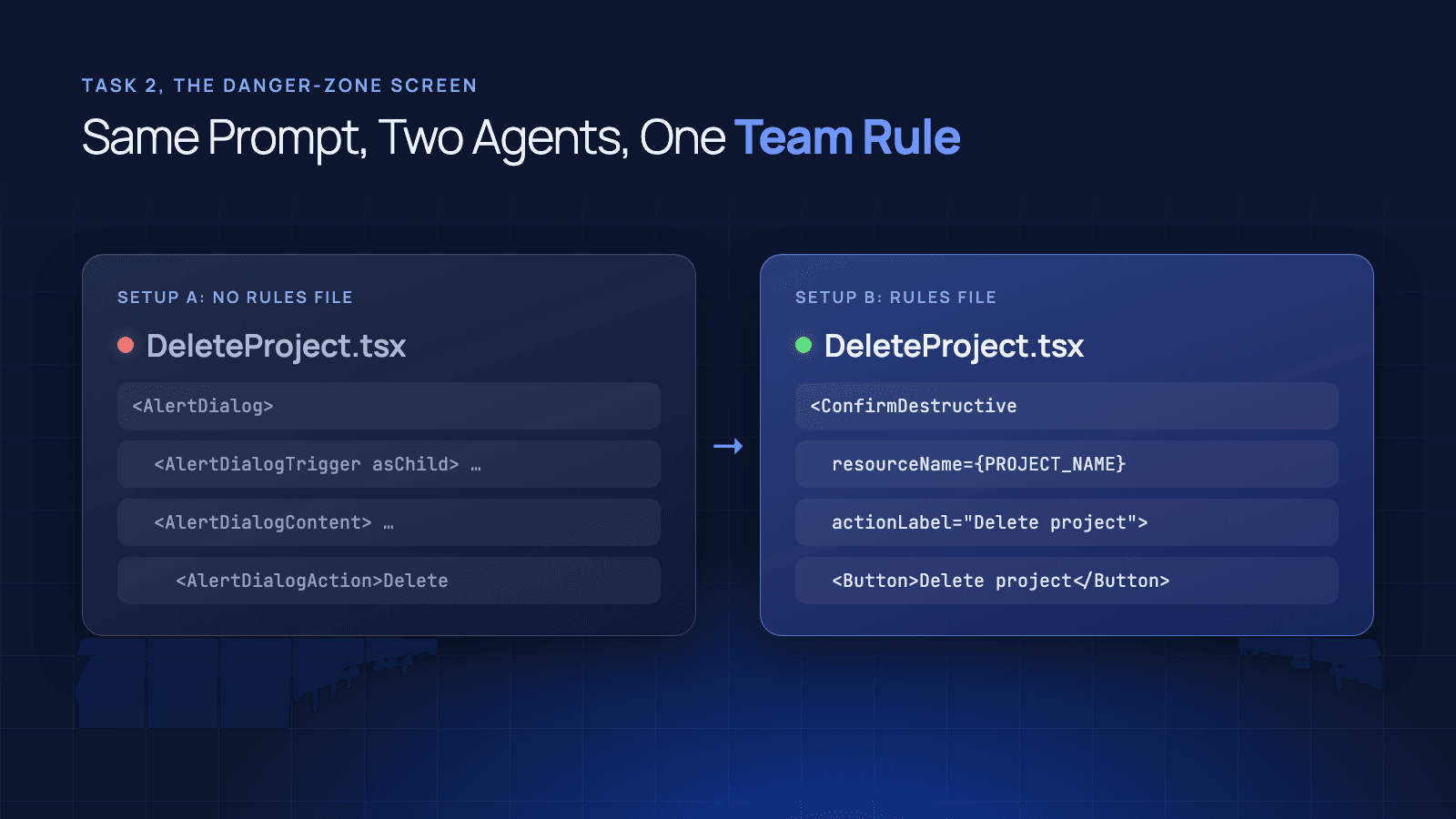
The team already had a confirm dialog. It lived in src/components/acme/ConfirmDestructive.tsx, it made the user type the project name before anything got deleted, and it was one folder away from where the agent was working.
The agent built its own anyway. It pulled AlertDialog through the shadcn MCP, wired up a Cancel and a Delete button, and the build passed. It did that in 3 runs out of 3.
That is the gap this post measures. The shadcn MCP is a server that gives an AI coding agent the shadcn/ui registry: what components exist and how to install them. It doesn't give the agent your team's decisions about how those components get used. We ran 36 agent sessions to find out how much that matters.
What the shadcn MCP Actually Gives an Agent
The shadcn MCP server connects an agent such as Claude Code or Cursor to shadcn/ui registries. It does three things:
- Browse: list the components, blocks and templates in a registry.
- Search: find a component by name or by what it does.
- Install: add it to the project from a plain-language request.
You set it up with one entry in your MCP config that runs npx shadcn@latest mcp. It also works with private registries, so a company can point it at its own component library.
What it hands over is the catalogue. Ask for a delete confirmation and it will find alert-dialog and install it correctly. Whether your team allows a bare AlertDialog for destructive actions is not something a catalogue knows.
How We Set Up the Test
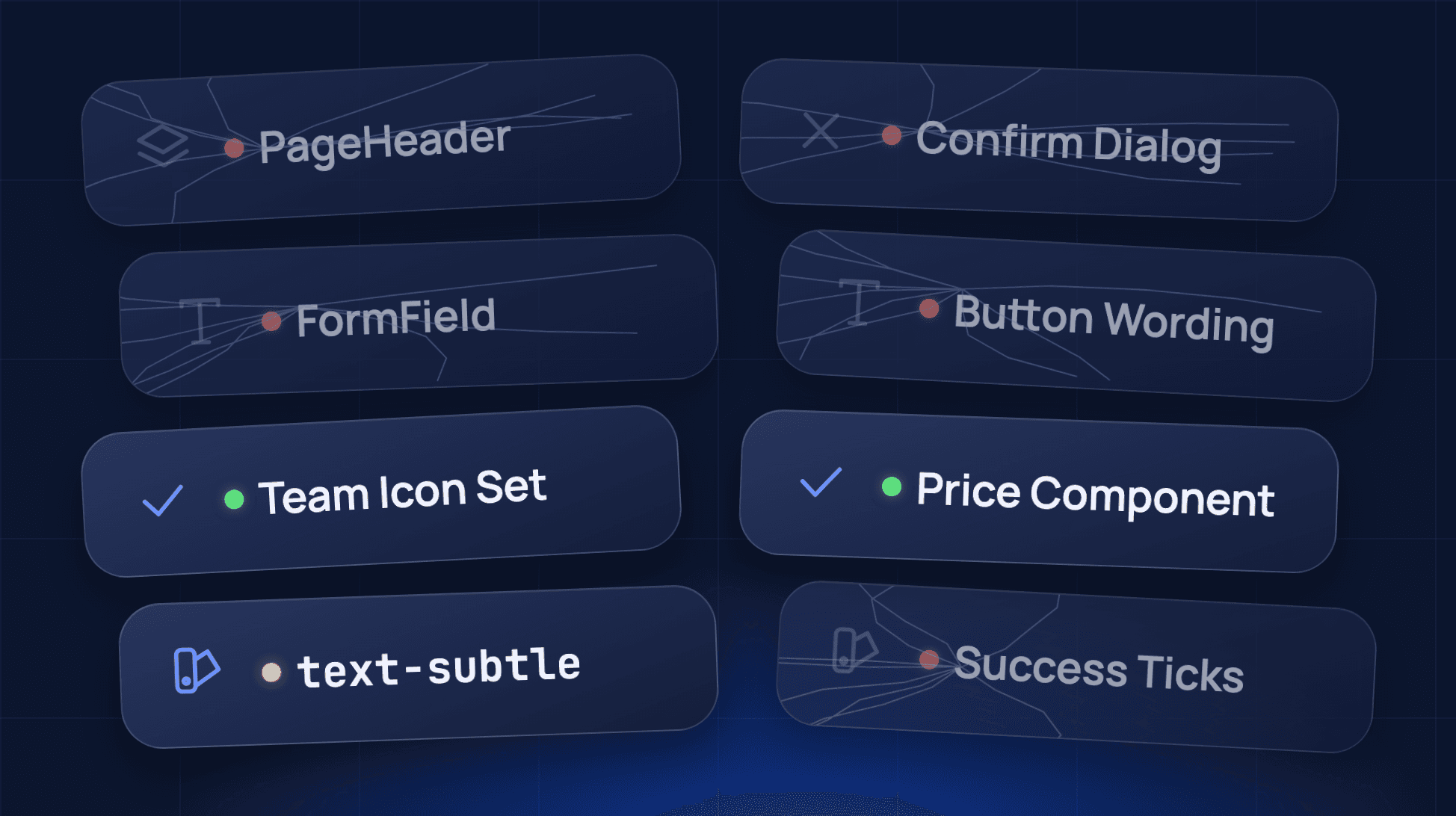
We built a small Vite and React app with shadcn/ui on Tailwind CSS v4 and the shadcn MCP configured. Then we gave it a fictional team, Acme, with its own pieces sitting in the codebase:
- Components:
PageHeader,Price,FormFieldandConfirmDestructiveinsrc/components/acme/. - An icon set:
@/components/acme/icons, re-exporting icons under team names likeIconCheck. - Tokens:
text-subtlefor secondary text andsuccessfor positive states.
The agent got 3 everyday tasks, with the same prompt every time:
- A profile settings screen with two fields, a notifications switch, and Save and Cancel buttons.
- A danger-zone screen for a project called Atlas, with a delete button that asks for confirmation first.
- A pricing card for a Pro plan, with a per-seat price, four features and a "Most popular" label.
Each task ran 3 times in 2 setups, 18 runs per round. Every run was a fresh Claude Code session in a fresh copy of the app, all on Claude Haiku 5.5.
| Setup | What the agent had |
|---|---|
| A | The app, its code and the shadcn MCP |
| B | The same, plus a CLAUDE.md file with 8 team rules |
Setup A is not a straw man. The team's components were in the repo. An agent that read the codebase could find every one of them.
Round One Measured shadcn, Not the Team
Our first rules file had 7 rules: semantic colour tokens only, no arbitrary values, AlertDialog for destructive actions, one primary button per screen, labelled form controls, Badge for tags and text-success for positive states.
Setup A broke 3 rules in 9 runs. Setup B broke none. That looks like a win for the rules file until you read the code.
Six of the 7 rules were things shadcn/ui already does by default. Its components ship with semantic tokens, and AlertDialog is its own pattern for confirmations. Setup A followed those 6 rules without being told, because that's simply how shadcn/ui builds things.
The one rule that was Acme's own, ticks in text-success, was missed in all 3 pricing-card runs without the file and followed in all 3 with it. The lesson was about test design: if your rules match the library's defaults, you are testing the library.
Round Two: 20 Broken Rules Down to Zero
Round two replaced the rules with ones only a real team would have. Each one points at something Acme built or decided.
| Team rule | Setup A missed it | Setup B missed it |
|---|---|---|
Every screen starts with PageHeader | 7 of 9 runs | 0 of 9 |
| Icons come from the team icon set | 0 of 9 | 0 of 9 |
Secondary text uses text-subtle | 2 of 9 | 0 of 9 |
Prices use the Price component | 0 of 3 | 0 of 3 |
Deletes use ConfirmDestructive | 3 of 3 | 0 of 3 |
Form controls sit inside FormField | 3 of 3 | 0 of 3 |
| Buttons say verb plus object ("Save changes") | 3 of 9 | 0 of 9 |
Ticks use IconCheck in text-success | 2 of 3 | 0 of 3 |
| Total rules broken | 20 | 0 |
| Runs with no broken rules | 0 of 9 | 9 of 9 |
Every run in both setups built and compiled. Nothing in setup A was broken in the sense a test suite catches. It just wasn't Acme's UI.
Where the Agent Went Wrong
The misses weren't random. Look at which rules setup A followed without being told.
It used the team icon set every time and the Price component every time. shadcn/ui has no price component, and the icon set was the only icon import in the codebase. When the team's version was the only version, the agent found it.
It missed ConfirmDestructive every time, FormField every time and PageHeader in 7 of 9 runs. shadcn/ui has its own answer for each of those: AlertDialog, Label, and a Card with a CardTitle. When the registry offered an equivalent, the agent picked the registry's version over the team's.
The button rule shows the other failure. "Save changes, not Save" exists only as a decision someone made. There's no component to discover, so every profile form in setup A shipped a bare "Save".
So Is a Markdown File Enough?
In this test, yes. A 12-line CLAUDE.md took setup A's 20 broken rules to zero, on a small model, in every run. If your design system lives in one repo, is used by one team and changes rarely, write that file. It's the cheapest fix there is, and we've covered what to put in CLAUDE.md for a design system.
The test doesn't cover what happens next, and that is where the file gets harder to keep honest:
- It's a copy: the rules live in your design system and get pasted into each repo. Every repo's copy drifts from the source on its own schedule.
- It's per tool: Claude Code reads
CLAUDE.md, other agents read other files, and each one is a separate copy to keep in step. - It's advice: Anthropic's own docs say Claude treats these files as "context, not enforced configuration."
Those three are our argument, not our measurement. We tested one repo, once.
Where Supernova Comes In
The rules file worked because it turned Acme's decisions into instructions an agent could act on. Supernova keeps those decisions in the design system itself: the tokens, the components, the usage rules and the skills, served to agents through the Supernova MCP. Every repo and every agent reads the same source, so there is no copy per repo to fall behind.
Here's the Supernova MCP making changes inside a design system from a chat with an agent:
If you want to see how the design system MCP servers on the market compare, we've compared who has one and what each actually does.
Run This Test on Your Own System
You don't need our numbers. You need your own, and they take an afternoon.
- List 5 rules that are yours, not shadcn's: the components you wrapped, the tokens you added, the wording you agreed on.
- Pick 3 tasks your teams build every week and give an agent the same prompt each time, with and without those rules.
- Read the output against the list. Count where it used the registry's version instead of yours.
If the count is zero without a rules file, your system is close to shadcn's defaults and you can relax. If it looks like our setup A, the agent knows the catalogue and not your team.
Supernova's Free plan includes 5 MCP consumers and unlimited lookups, if you want to try serving your rules from the design system instead of a file.
Method: Claude Code with Claude Haiku 5.5, shadcn CLI 4.22.1 (radix-nova style), 21 October 2026. 3 runs per task per setup, each in a fresh session and a fresh copy of the app. Rules were scored pass or fail per run by script, then checked by reading every file. Acme is fictional and the rules are ours. A larger model, a bigger codebase or more runs could change the numbers.
Give your agents a system worth following
See how Supernova documents, syncs, and serves your system in one place.