Run Your Design System From Any AI Agent: Supernova MCP Webinar Recap
Recap of our Supernova MCP webinar: connecting any agent, a server per team, six Editor MCP workflows, and how EGYM turns Figma specs into component contracts.
 Nezar MansourContent Writer
Forty minutes into the session, Felix Pfahlert left a comment on a documentation page: the button in the example asset was overflowing. He dictated it, switched to his terminal and asked Claude Code to read his comment and fix it. Then he went back to answering questions. When he checked again, the figure was rebuilt and the overflow was gone. The agent had forgotten to sign its reply "Adjusted by AI", which Felix pointed out on stream.
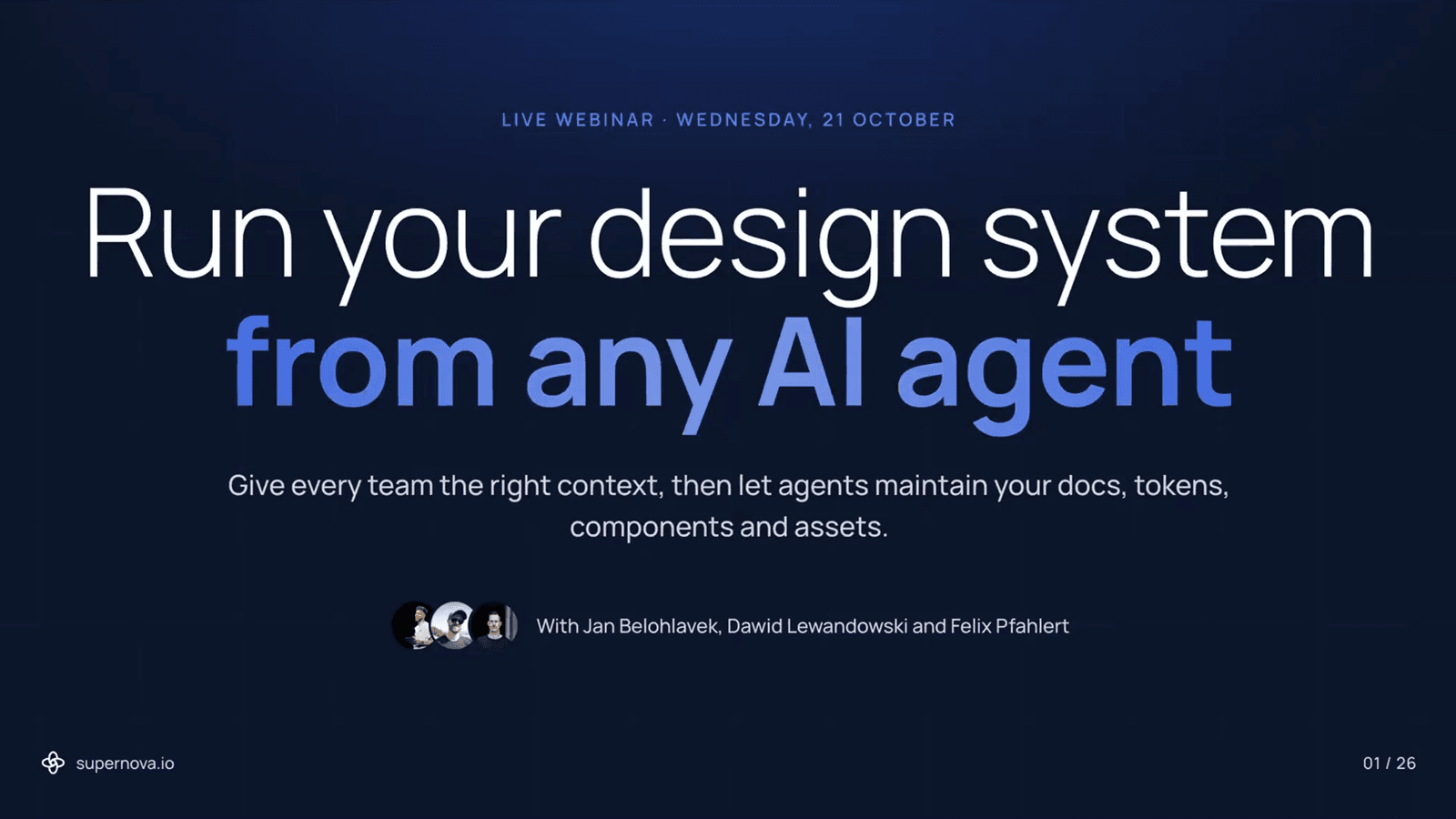
That moment summed up the Supernova MCP webinar on 21 October 2026. Agents can now do real maintenance work on a design system, and they still need people checking their output. The session ran just over an hour with three speakers:
- Jan Belohlavek, Head of Marketing at Supernova, on what the Supernova MCP does and how to connect it
- Dawid Lewandowski, Senior Product Designer at Supernova, on six workflows you can run from your AI tool
- Felix Pfahlert, Design System Lead at EGYM, on how his team documents components for people and agents at the same time
This post is the written recap: the answers to the questions the session set out to cover, plus the best of the audience Q&A. To rewatch the whole session, the recording is free.
60 minWebinar recordingRun your design system from any AI agentWatch the full session or download it for your team →What does the Supernova MCP do?
The Supernova MCP connects your design system to the AI tools your team already uses, in both directions. Agents in Claude, ChatGPT, Cursor, v0, Lovable or Figma can read your tokens, components and documentation, and with the Editor MCP they can write back to them too.
Jan described it as a loop with four parts:
- Manage: Supernova pulls data from Figma, Storybook and your codebases into one source of truth.
- Document: you or an agent write the rules, guidelines, do's and don'ts.
- Distribute: that knowledge reaches agents through the MCP or gets exported into your repos.
- Act on feedback: when an agent gets something wrong because the docs are missing something, the feedback comes back to the design system team.
There are two flavours. The Editor MCP is for practitioners who actively write to the system. The Consumer MCP reads and sends feedback but can't change data. Jan noted that more engineers are choosing the Editor MCP, because their agents now draft suggestions instead of only consuming.
How do you connect it?
Any MCP client works. In Claude, add a custom connector, paste the MCP URL from your design system's overview page in Supernova, sign in, and pick the workspace and design system. Because the MCP ships with skills, the agent knows how to work with Supernova from the first prompt. Claude Code, Cursor, Codex and VS Code take one command or one click, and Supernova Academy has a video for each. We also wrote up the Claude Code setup step by step.
Can different teams get different context?
Yes, and this was the most practical part of Jan's section. A single design system can now serve several MCPs, each with its own URL and its own slice of the data. Supernova calls these contexts.
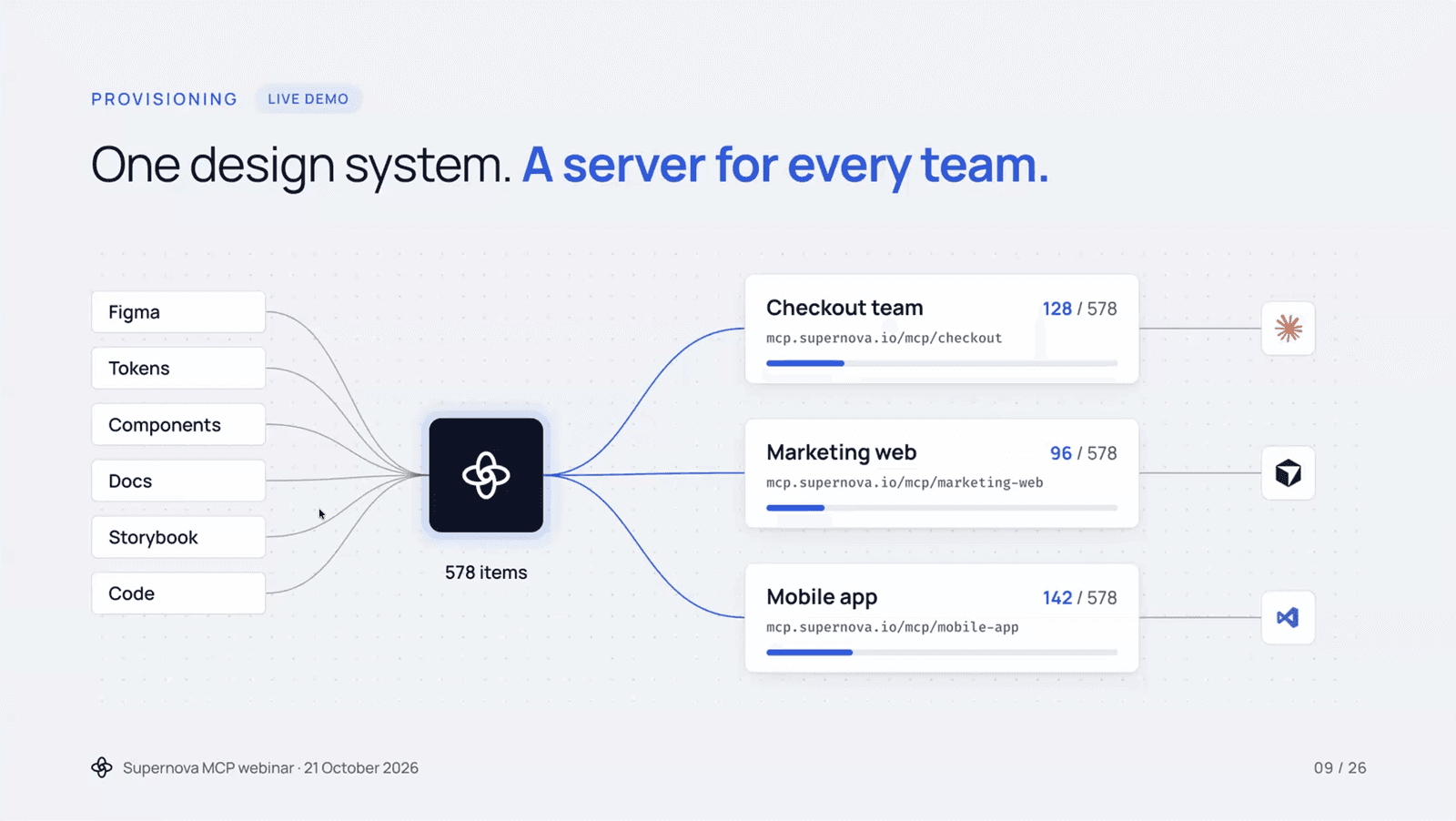
In the demo, a checkout team got 128 of 578 items, the marketing site 96, and the mobile app 142. You filter by page properties, by code framework (an Angular context and a React context, say), and you can attach extra knowledge as markdown files or skills. The point is to stop flooding every agent's context window with the whole system when it only needs the part its team uses.
The Consumer MCP also carries a feedback tool. Jan's example: an engineer's agent builds a form badly because the docs never explained forms. The engineer asks the agent to tell the design system team. That arrives in Supernova with the full trace, the model used, the sentiment and the category, so the team can see exactly what was missing and fix it.
What can you automate with the Editor MCP?
Dawid walked through six workflows, each a single prompt plus a review step:
| Workflow | What the agent does | What you do |
|---|---|---|
| Document a new data source | Creates a draft page per imported component, in the tab structure you ask for | Review and publish |
| Extend docs in your pattern | Documents a new component using an existing page as the template | Point at one or two reference pages |
| Link related components | Classifies every component into groups, then adds a related-components section | Approve the mapping |
| Clean up orphaned tokens | Finds tokens with no data source, checks usage in docs, aliases and themes, reports what's safe to remove | Approve the deletions |
| Migrate documentation | Proposes a structure from Markdown, Confluence, Figma or zeroheight, migrates one pilot page, then the rest in batches | Approve the structure and the pilot |
| Turn feedback into fixes | Reads feedback sent through the MCP and drafts a fix for each item, linked back to it | Review and close the loop |
His tip for the first one: be specific about the structure you want. A prompt that names Overview, Usage and Properties tabs gets you consistent pages. A vague prompt gets you vague pages.
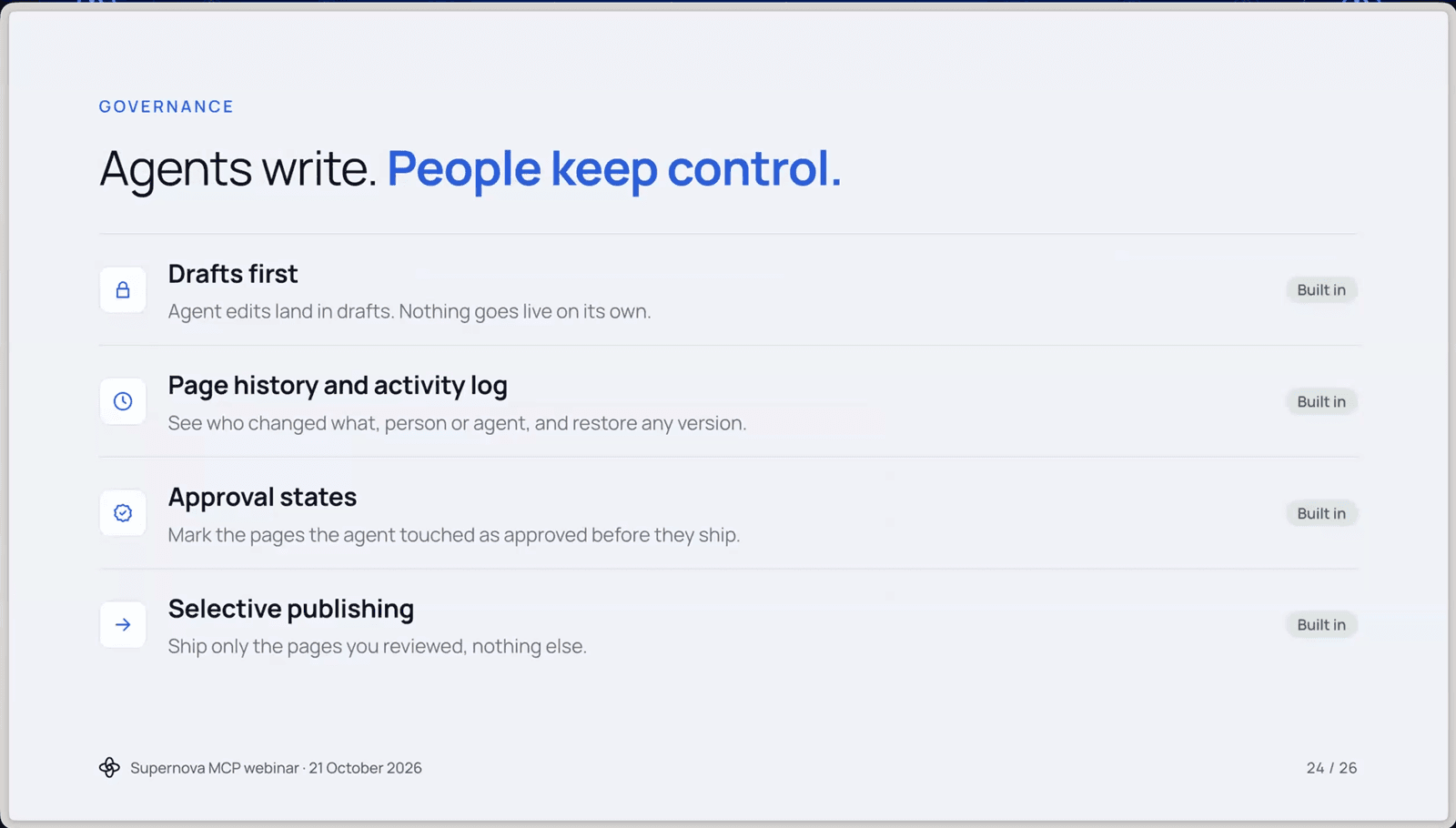
Every one of these lands as a draft. Dawid closed on governance: page history, an activity log showing whether a person or an agent made a change (in closed beta, coming to Enterprise), approval states, and selective publishing so only reviewed pages ship.
How does EGYM run its documentation with agents?
Felix's section was the reason many people stayed for the full hour. His team at EGYM runs a design system called EGYM One across two very different products: strength-training machines and EGYM Wellpass, the corporate fitness benefit.
He started from a problem most teams will recognise. Hand-written docs drift out of date the moment a component changes. Fully generated docs are fast but confidently wrong. His answer is to split the work: machines extract the facts (variants, sizes, states, tokens), and people write the judgement (when to use it, when not to, what to use instead).
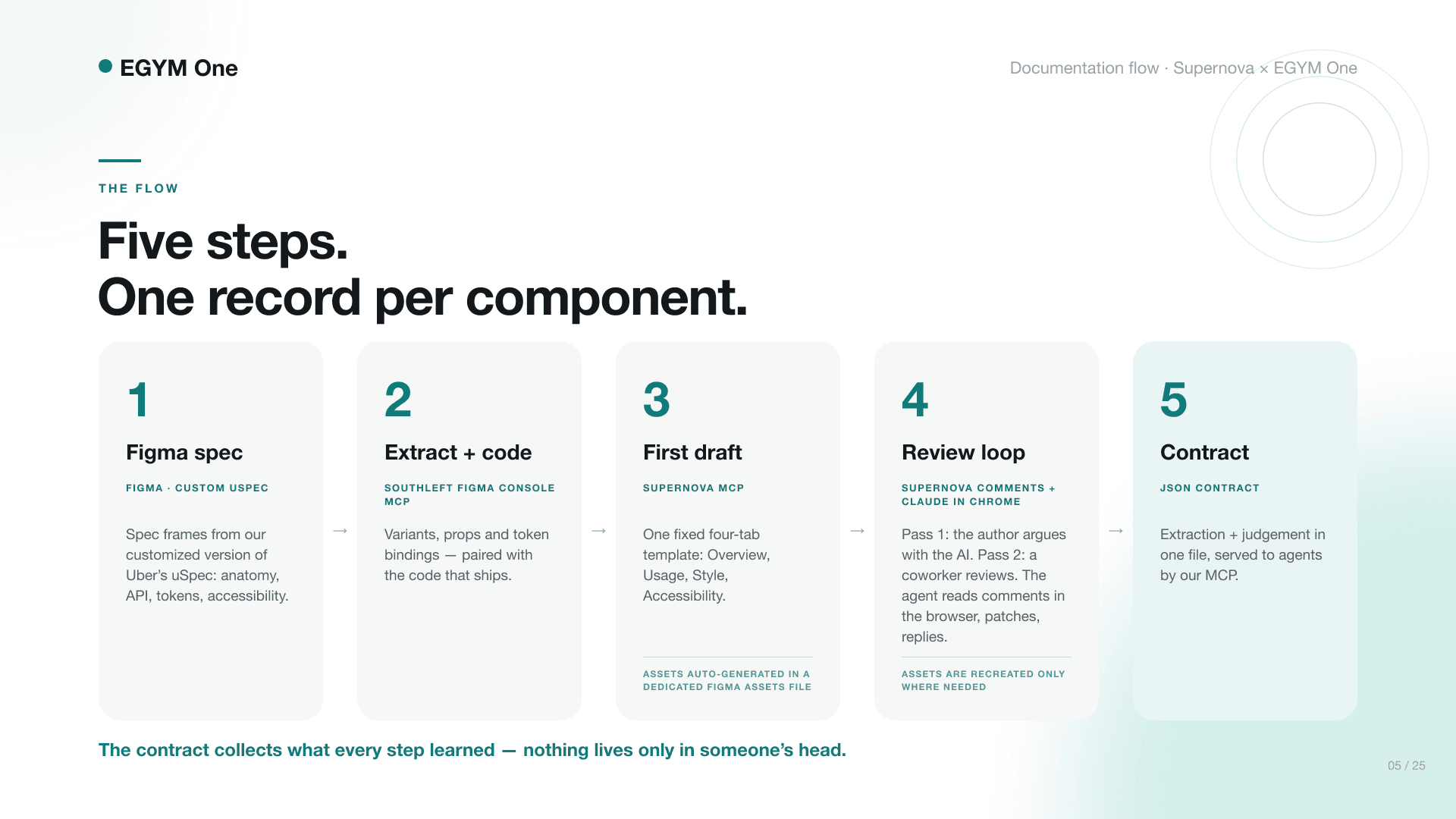
The flow has five steps. A spec in Figma, built on a customised version of Uber's uSpec. Extraction through TJ Pitre's Figma Console MCP. A first draft in Supernova through the Supernova MCP, always in the same four-tab template. A review loop where people comment on the page and an agent applies the fixes. And finally a JSON component contract per component, holding both the extracted facts and the human guidelines, which EGYM's own MCP serves to agents.
What did the audience ask?
Why build a JSON contract on top of the Supernova MCP? (Peter) Felix's answer was ownership. EGYM keeps the contracts in a GitHub repo inside the design system and serves them through an internal MCP called One Brain, which also scans codebases and reports gaps back to his team. Jan added that Supernova sees both patterns among customers: teams with hundreds of repos lean on the MCP, while developers often prefer context living locally. Supernova is exploring an opinionated local harness of its own.
How do you stop the docs and the contracts drifting apart? (Hernan) Scheduled tasks check both continuously, cache what changed, and a separate "warden" skill reviews whether everything still agrees.
Can it design beyond what's in the components? (James) Yes, with rules. Components are stored as building blocks with usage guidance, and the custom MCP also serves page and flow templates. Felix showed a bottom-sheet flow rebuilt repeatably, a login form generated from a sketch, and feature explorations built entirely from EGYM One components and variables.
The one thing to try this week
Pick one small component your team uses a lot. Felix's team started with a link component and went through about 100 versions of the template before rolling it out. Connect the Editor MCP, ask your agent to document it in a structure you specify, and review the draft properly before you publish.
If you missed the live session, watch the full recording for the demos in detail. You can try the Supernova MCP on the free plan, which includes unlimited MCP lookups.
Give your agents a system worth following
See how Supernova documents, syncs, and serves your system in one place.