Style Dictionary: Build Design Tokens for People and Agents
A worked Style Dictionary 5.7.1 example: one DTCG token file built into CSS variables and a resolved JSON file an agent can look up, with the config and output.
 Nezar MansourContent Writer
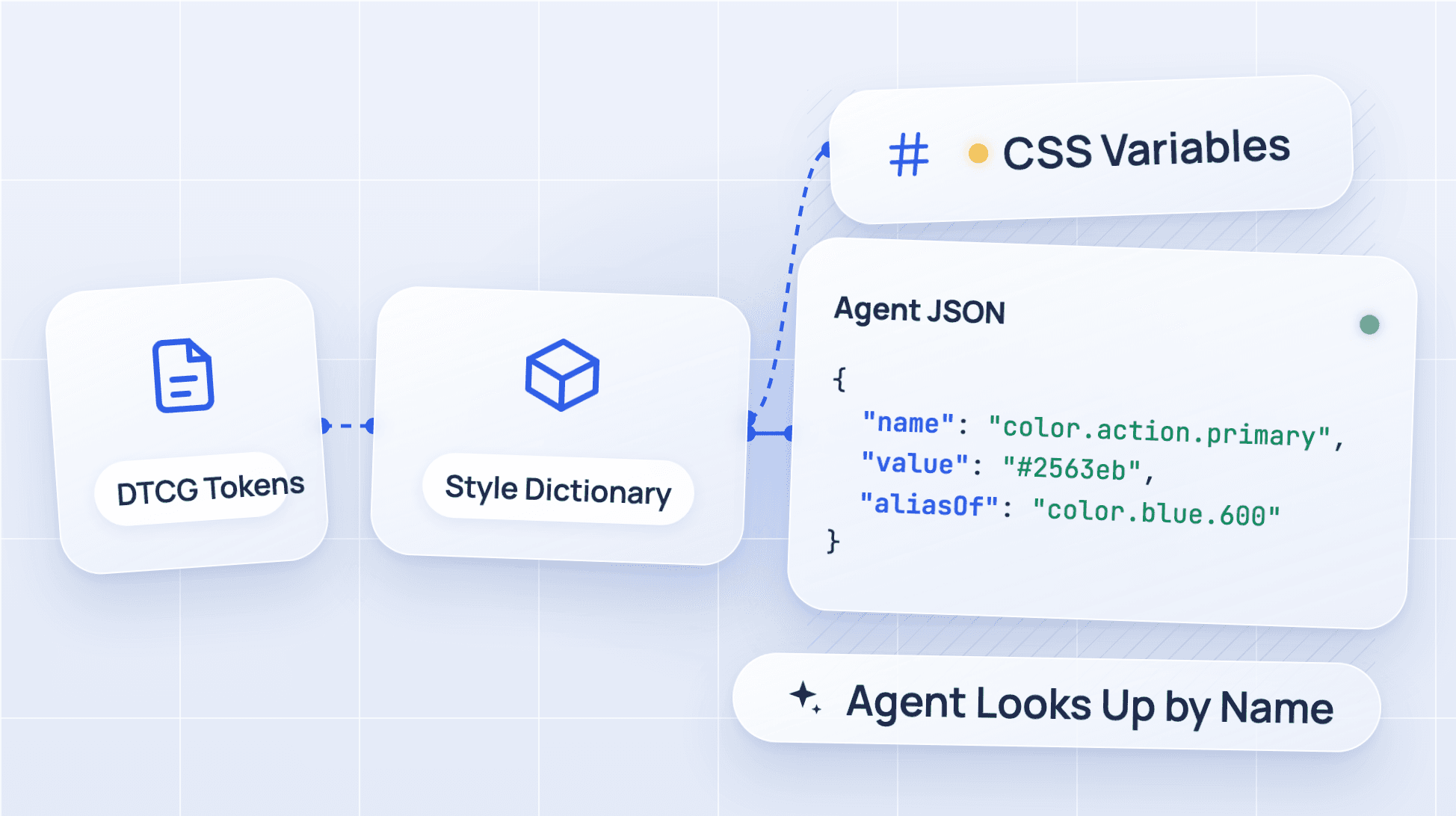
This is one line of CSS that Style Dictionary wrote for us on 26 October 2026:
--color-action-primary: var(--color-blue-600); /** Background of the one primary action on a screen. Never use for links. */
A developer reads it and knows what to do. An AI coding agent reading the same line has to follow the var() to another line to get the colour, then parse a comment to find the rule. Both are possible. Neither is what the file was built for.
Style Dictionary can build a second file from the same tokens, shaped for the agent instead. This post shows the whole thing: the token file, the config, the command and the real output, run with the current release.
What Style Dictionary does
Style Dictionary is an open-source build system that turns one set of design tokens into the files each platform needs: CSS variables, JavaScript modules, iOS and Android resources, and anything else you can write a format for. Its GitHub repository describes it as "a build system for creating cross-platform styles."
It started at Amazon. The AWS open source blog says it was released on GitHub in summer 2017. It's widely used: 8,182,425 npm downloads between 23 September and 22 October 2026.
We used version 5.7.1, published to npm on 24 October 2026, on Node 26.
Step 1: write the tokens in DTCG format
The Design Tokens Community Group format uses $value, $type and $description keys, and curly-brace aliases to point one token at another. Style Dictionary's DTCG page says it has had first-class support for the format since version 4. If you're deciding whether to move to DTCG at all, our look at what 15 design systems actually ship covers the state of adoption.
Our file, tokens/tokens.json, is deliberately small: two primitive colours, two semantic colours that alias them, and two spacing values.
{
  "color": {
    "$type": "color",
    "blue": {
      "600": { "$value": "#2563eb" }
    },
    "red": {
      "600": { "$value": "#dc2626" }
    },
    "action": {
      "primary": {
        "$value": "{color.blue.600}",
        "$description": "Background of the one primary action on a screen. Never use for links."
      },
      "destructive": {
        "$value": "{color.red.600}",
        "$description": "Background of actions that delete data. Pair with a confirm step."
      }
    }
  },
  "spacing": {
    "$type": "dimension",
    "200": {
      "$value": { "value": 8, "unit": "px" },
      "$description": "Gap between an icon and its label."
    },
    "400": {
      "$value": { "value": 16, "unit": "px" },
      "$description": "Padding inside buttons and inputs."
    }
  }
}
Two details matter here:
$typeis set once per group: every token undercolorinheritscolor, and every token underspacinginheritsdimension.- Dimensions are objects:
{ "value": 8, "unit": "px" }is the shape in the stable 2025.10 spec. Style Dictionary's docs still say 2025.10 support is a work in progress, but 5.7.1 turned these into8pxand16pxwithout complaint in our run.
Step 2: configure two platforms
A Style Dictionary platform is one output target with its own transforms and formats. We set up two: css for the browser, and agent for a file an agent can query.
The CSS platform uses only built-in pieces. The agent platform needs a custom format, which is the short function at the top of config.mjs:
import StyleDictionary from 'style-dictionary';

// One resolved entry per token, for agents to look up by name.
StyleDictionary.registerFormat({
  name: 'json/agent',
  format: ({ dictionary }) => {
    const tokens = dictionary.allTokens.map((token) => ({
      name: token.path.join('.'),
      cssVar: `--${token.name}`,
      type: token.$type,
      value: token.$value,
      aliasOf: typeof token.original.$value === 'string' && token.original.$value.startsWith('{')
        ? token.original.$value.slice(1, -1)
        : null,
      description: token.$description ?? null,
    }));
    return JSON.stringify(tokens, null, 2) + '\n';
  },
});

export default {
  source: ['tokens/**/*.json'],
  platforms: {
    css: {
      transformGroup: 'css',
      buildPath: 'build/css/',
      files: [{
        destination: 'variables.css',
        format: 'css/variables',
        options: { outputReferences: true },
      }],
    },
    agent: {
      transformGroup: 'css',
      buildPath: 'build/agent/',
      files: [{ destination: 'tokens.json', format: 'json/agent' }],
    },
  },
};
The format reads two versions of each token. token.$value is the resolved value after transforms. token.original.$value is what you wrote, which is how the format knows color.action.primary was an alias of color.blue.600.
Step 3: run the build
npx style-dictionary build --config config.mjs
The real output:
agent
✔︎ build/agent/tokens.json

css
✔︎ build/css/variables.css
The CSS output, for the browser
/**
 * Do not edit directly, this file was auto-generated.
 */

:root {
  --color-blue-600: #2563eb;
  --color-red-600: #dc2626;
  --spacing-200: 8px; /** Gap between an icon and its label. */
  --spacing-400: 16px; /** Padding inside buttons and inputs. */
  --color-action-primary: var(--color-blue-600); /** Background of the one primary action on a screen. Never use for links. */
  --color-action-destructive: var(--color-red-600); /** Background of actions that delete data. Pair with a confirm step. */
}
This is good CSS. outputReferences: true keeps the alias as a var(), so changing --color-blue-600 updates every token that points at it. Descriptions come through as comments, which we didn't expect.
The agent output, for lookups
[
  {
    "name": "color.blue.600",
    "cssVar": "--color-blue-600",
    "type": "color",
    "value": "#2563eb",
    "aliasOf": null,
    "description": null
  },
  {
    "name": "color.red.600",
    "cssVar": "--color-red-600",
    "type": "color",
    "value": "#dc2626",
    "aliasOf": null,
    "description": null
  },
  {
    "name": "color.action.primary",
    "cssVar": "--color-action-primary",
    "type": "color",
    "value": "#2563eb",
    "aliasOf": "color.blue.600",
    "description": "Background of the one primary action on a screen. Never use for links."
  },
  {
    "name": "color.action.destructive",
    "cssVar": "--color-action-destructive",
    "type": "color",
    "value": "#dc2626",
    "aliasOf": "color.red.600",
    "description": "Background of actions that delete data. Pair with a confirm step."
  },
  {
    "name": "spacing.200",
    "cssVar": "--spacing-200",
    "type": "dimension",
    "value": "8px",
    "aliasOf": null,
    "description": "Gap between an icon and its label."
  },
  {
    "name": "spacing.400",
    "cssVar": "--spacing-400",
    "type": "dimension",
    "value": "16px",
    "aliasOf": null,
    "description": "Padding inside buttons and inputs."
  }
]
Same six tokens, same source file, one build command.
What the second file changes for an agent
Put the two outputs side by side and ask what an agent needs when it's about to style a Delete button:
| Question the agent has | From the CSS file | From the agent JSON |
|---|---|---|
| Which token is for destructive actions? | Guess from the variable name | Search description for "delete" |
| What colour is it? | Follow var(--color-red-600) to another line | value is #dc2626 |
| Is it a semantic token or a primitive? | Infer from the naming pattern | aliasOf is set, so it's semantic |
| Any rule attached? | Parse the comment | description: "Pair with a confirm step." |
| What do I write in the code? | The variable name | cssVar is --color-action-destructive |
The CSS is readable: a person scanning it gets everything. The JSON is resolvable: every answer is a field, so an agent can look one token up by name and get a definite answer instead of reconstructing it. That's the gap between documentation written for people and context built for agents, and it shows up even in a six-token file. We go further into it in what an agentic design system is.
A file like this is also what a token tool on a design system MCP server returns. If you serve tokens to agents over MCP, building this JSON in the same Style Dictionary run means the server and the CSS can't drift apart.
What we'd add before using it for real
The example is small on purpose. On a real system, add these before you point an agent at it:
- Themes and modes: build one agent file per theme, or add a
modesfield. The stable spec describes modes in a separate resolver file. - Descriptions on semantic tokens only: primitives like
color.blue.600don't need one. Every semantic token does, or the agent is back to guessing from names. - A check in CI: fail the build when a semantic token has no
$description. A custom format or a short script overdictionary.allTokenscan do it. - Deprecation: DTCG has a
$deprecatedproperty. Pass it through, so an agent stops using a token before you delete it.
If you're building the rest of a system around this file, our guide on how to build a design system with AI covers where tokens fit in the first week.
Where Supernova fits
Style Dictionary is a good build step. It doesn't hold the descriptions, usage rules and component guidance that make the agent file worth reading, and it doesn't serve them. Supernova keeps tokens with their documentation, runs code export pipelines from them, and serves the same tokens to agents through its MCP server, with unlimited lookups on every plan including Free.
Run it yourself in ten minutes
Make an empty folder, run npm install style-dictionary@5.7.1, and paste the token file and config from this post. Then ask your coding agent which token to use for a destructive action, once with the CSS file in context and once with the JSON. Compare how it gets to the answer.
Give your agents a system worth following
See how Supernova documents, syncs, and serves your system in one place.