Design System Audit: What to Check and Which Tool to Use
The seven checks in a design system audit, and three ways to run them: reading your docs, Supernova MCP or Supernova Agent, compared on one real system.
 Nezar MansourContent Writer
A design system audit is a structured check of what your design system contains, how closely the code, design files and docs agree, and whether the people (and agents) using it can get what they need from it. Run one before a rebuild or migration, when adoption stalls, or once a year as housekeeping.
This guide covers the seven checks every audit needs, then three ways to run them. To compare those three ways fairly, we ran all of them on one real system on 10 November 2026: Dark Matter Next Gen, the design system behind Supernova's own product. Everything was read-only. Nothing in the system was changed.
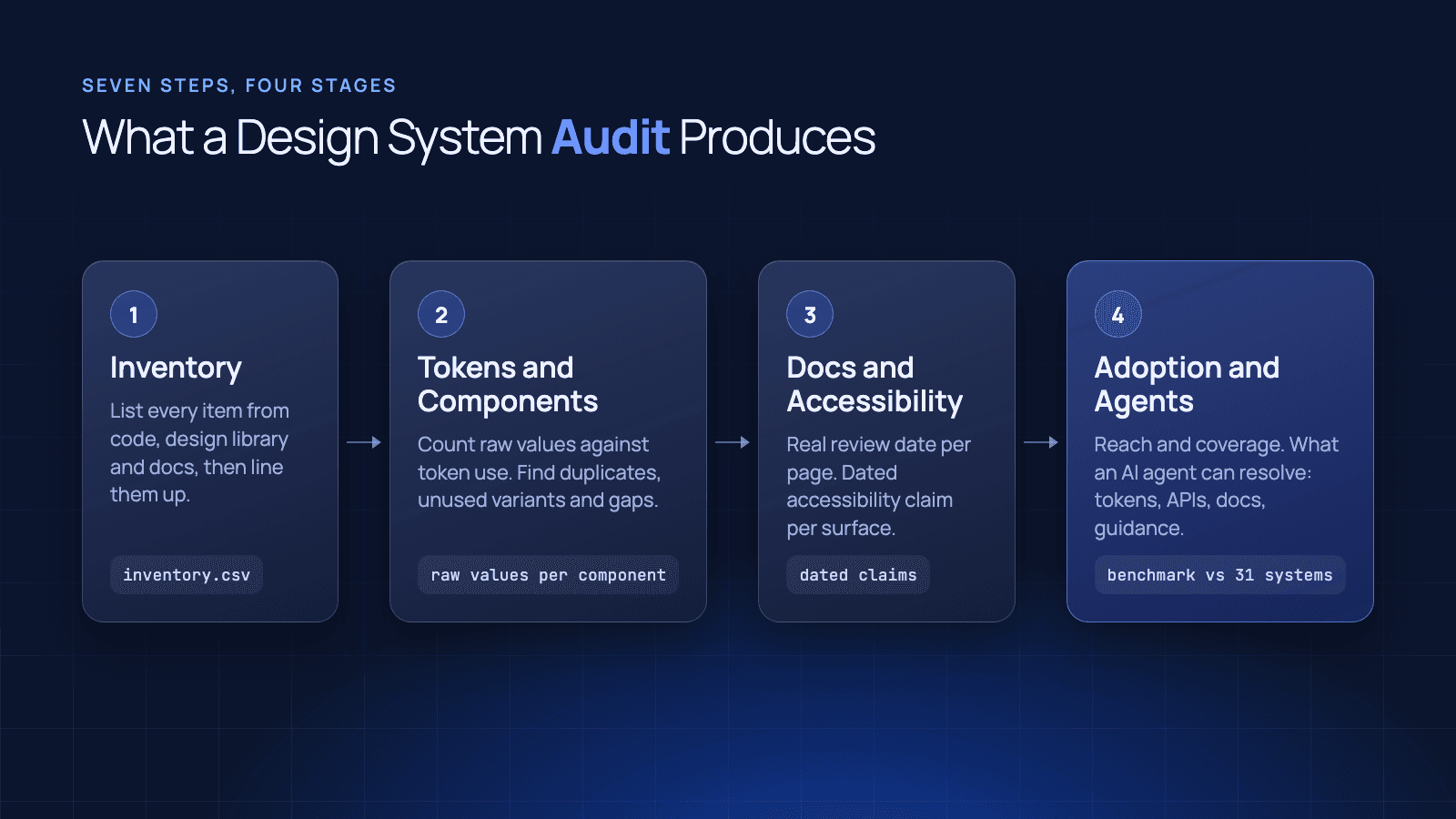
The seven checks in a design system audit
Whatever tool you use, these are the questions to answer. Each produces something concrete you can act on.
- Inventory: list every component in code, the design library and the docs, and line the lists up. Output: a row per component with a column per source.
- Token health: find duplicate tokens, wrong types or units, and tokens with no description. Output: a count per problem.
- Duplicates and leftovers: find repeated, test and deprecated components still in the library. Output: a keep-or-retire list.
- Docs against code: check that what the docs say matches what the code does. Output: a list of contradictions.
- Accessibility claims: check what the system claims, per surface, and when that was last verified. Output: a dated claim per surface.
- Adoption: find what's used and what isn't, from unused tokens up to whole components. Output: a list of dead weight. For coverage across products, see 9 Design System Metrics That Matter.
- Agent readiness: check whether a coding agent could build a component from what's documented. Output: a list of what it would have to guess.
Three ways to run the audit
| Read the docs site | Supernova MCP | Supernova Agent | |
|---|---|---|---|
| How | A person, or an AI agent, reads the published docs | Your own agent calls the Supernova MCP server | You ask Supernova Agent in plain language |
| Questions fully answered (of 7) | 2 | Data for all 7, you do the judging | 6 |
| What it reads | 128 pages, about 125,000 characters | About 150,000 characters of structured data | The same data, inside Supernova |
| Time on our test | About 2 minutes for an AI agent | About 50 seconds of calls | About 2 minutes per question |
| Cost | Your time, or model tokens | Free: MCP lookups are unlimited on every plan | 50 workspace credits per question |
The reading cost was about the same each way. What you get for it isn't. Here's what each method found on the same system.
Option 1: Read your docs site
The default, done by hand or by pointing an AI agent at the site. We gave a fresh agent only the published docs and the seven questions. It read 128 pages in just over two minutes.
What it did well. It answered the button questions properly: the Button pages don't say which tokens control each state, give no sizes, and leave focus and accessibility undefined. It spotted that the Figma "Black" button and the React "Emphasized" button are the same thing under two names, and that one docs page asks in writing whether a Positive button is still used. It found a placeholder token called Radius/My new token, empty template pages, and a components index that lists a Modal page that doesn't exist.
What it couldn't see.
- Most of the system: the site shows 93 of the 217 tokens. Background, border and base colours aren't published at all.
- Rich blocks: Figma previews, props tables and Storybook embeds are built for people in a browser. Fetched by an agent, 335 of them came through as placeholders with no content.
- Usage: nothing on the site says what's used, so "which tokens are dead?" can't be answered.
- Unpublished components: duplicate and test components in Figma never appear on a docs site.
Use it when you want to audit the docs themselves: broken links, empty pages, unclear guidance. Don't use it to audit the system underneath.
Option 2: Supernova MCP
The MCP server gives any MCP-capable agent, such as Cursor or Claude Code, direct read access to the system's data. Seven read-only calls took about 50 seconds and returned:
| Finding (via Supernova MCP, 10 Nov 2026) | Result |
|---|---|
| Component records | 63, of which 57 have no description |
| Docs pages | 121, including "Untitled page" and "Test" |
| Tokens | 217, with no exact duplicates |
| Tokens with no description | 206 (94.9%) |
| Wrong unit | Font Weight/Bold stored as 640px |
| Leftovers | 2 test tokens, 9 deprecated typography tokens still in the set |
| Button code | 8 DMButton components with typed props, none with docs or stories linked |
A spot check of token usage found 5 of 10 tokens with zero uses anywhere, including Spacing/16 and Shadow/Raised.
What it does well. Exact counts, fast, free, and it sees everything the docs site hides. Because it's a standard MCP server, the agent your engineers already use can run the audit and then fix what it finds in the same session.
What it doesn't do. It returns data, not conclusions. Someone, or something, still has to decide what 206 missing descriptions means and which of two Select components to keep.
Option 3: Supernova Agent
The Agent runs inside Supernova with the same data and answers in plain language. Across the seven questions, the median Agent answer took about two minutes.
What it found that the other two couldn't:
- Docs that contradict the code: the Button Overview says to keep the label visible while loading, but the code hides it behind a loader. The code also offers a "faded" style the Figma pages never mention.
- Unused tokens: 43 of 217 have no reference anywhere, including the whole 12-step spacing scale.
- Figma clutter, grouped: duplicate
Radio,SelectandMenu.Group Indentationcomponents, a numbered series of empty fixtures, and deprecated Select, Dropdown Menu and Well components still sitting next to their replacements. - Components with no docs page: five, including Wizard Card and Number Input.
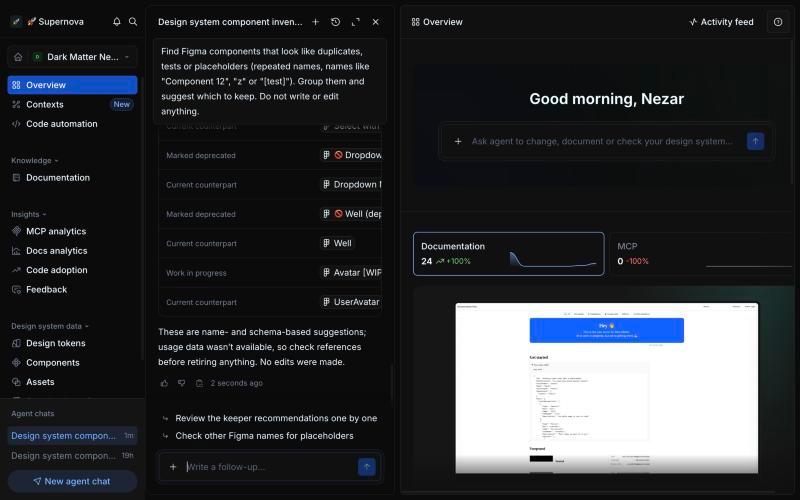
It also says what it can't confirm. On tokens it flagged the 640px font weight, two likely type mismatches, and one unit it couldn't verify from the data. That's what makes the rest of an audit trustworthy.
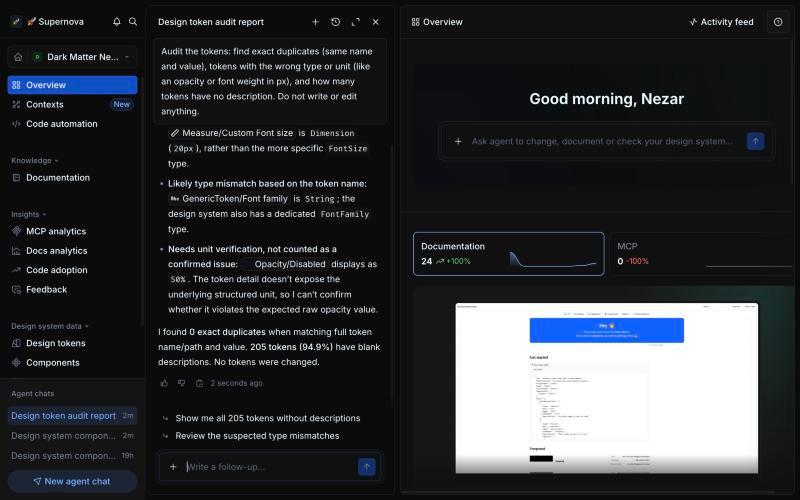
It goes from finding to fix. Asked which colour tokens most need a description, it wrote ten in a minute, each with a usage rule and a pairing. For Border/Focus: use it for focus indicators, never as a general border colour. Asked what the Button docs need for a coding agent, it listed page-by-page changes in 37 seconds, starting with a token map and a state matrix. We told it not to change anything, and it didn't.
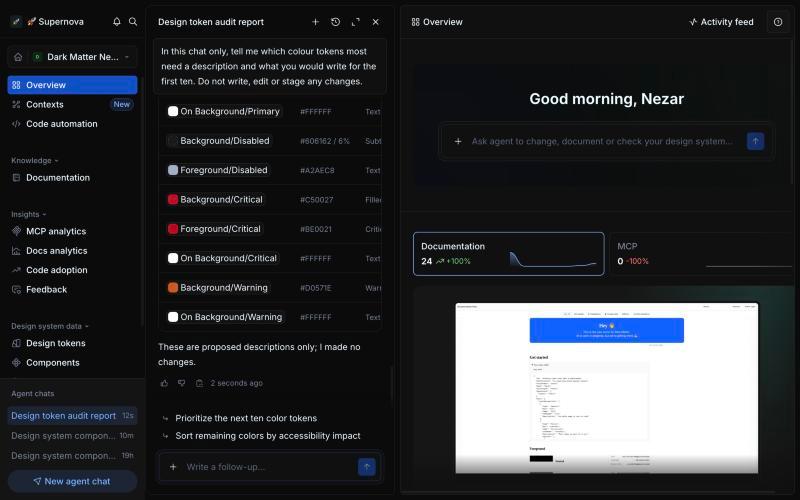
Where it's slower. Long raw lists. A full inventory of 63 records, 723 Figma components and a code package with a large icon set took over ten minutes, because the Agent pages through every component's props. Pull lists through the MCP and keep the Agent for judgement. Run one chat per audit area too: a single long chat can reach its token budget.
Which should you use?
| You want to | Use |
|---|---|
| Find broken links, empty pages and unclear docs | Read the docs site |
| Get exact counts of tokens, components and pages | Supernova MCP |
| Let your engineers' own agent audit and fix in one session | Supernova MCP |
| Find conflicts, dead weight and what's missing for agents | Supernova Agent |
| Draft descriptions and docs changes for review | Supernova Agent |
| Check accessibility audit dates | A person: none of the three can |
Most teams need two of the three: the docs read once for the reader's view, then Supernova for the system underneath. Teams like Mews keep tokens, components and docs in one place for this reason: the fix lands where both people and agents read it.
The design system audit checklist
Copy this into your own doc and add a finding and a date to each line.
- Every component listed across code, design and docs
- Components with no docs page
- Broken links, empty and test pages in the docs
- Duplicate tokens, wrong units, tokens without descriptions
- Duplicate, test and deprecated design components
- Docs statements that contradict the code
- Accessibility claims and the date each was last verified
- Unused tokens and components
- What a coding agent would have to guess to build your most-used component
What to do on Monday
Pull the counts first, from data, not pages. Then spend your own time where the numbers stop: choosing between duplicate components, deciding how a button behaves while loading, writing the usage rules nothing can infer.
Sort every finding into three piles: fix now, decide (needs an owner), and record (fine, but written down). On Dark Matter Next Gen the fix-now pile is the 640px font weight, the test tokens and the broken links. The decide pile is the loading conflict and the faded style. Our study of 31 public design systems found most stop at the readable layer: 26 publish component APIs as data, but only 3 give agent guidance. To see what the Agent finds in your own system, Supernova is free for up to five seats.
Give your agents a system worth following
See how Supernova documents, syncs, and serves your system in one place.